

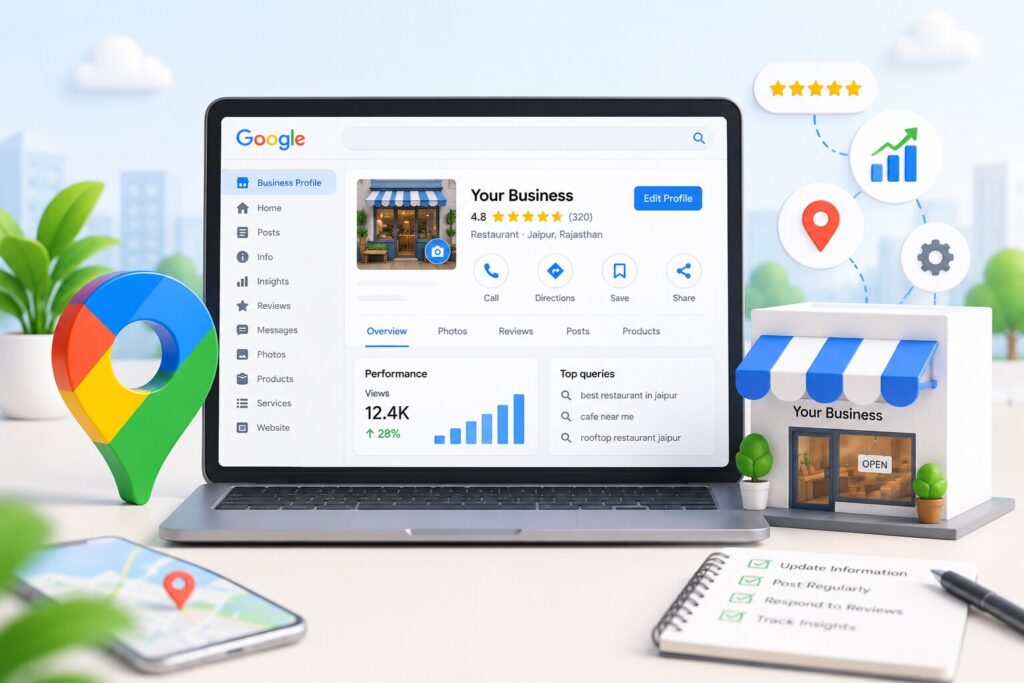
How to Manage Your Google Business Profile for Better Local Rankings
Most local businesses treat their Google listing like a job they finished years ago. They claimed it, typed in the address and phone number, uploaded a few photos, and moved on. Then they spend the next two years wondering why a competitor three streets away keeps appearing above them in Maps. The problem is rarely the original Google Business Profile setup. It is what happens, or fails to happen, in all the months afterwards.
This guide covers how to manage your Google Business Profile as an ongoing responsibility instead of a one-time chore. You will get the fields that carry the most weight, a monthly routine you can realistically stick to, the recent platform changes that caught a lot of owners off guard, and an honest answer on when the work is worth handing over.
What Google Business Profile Management Actually Involves
Setup and management are two separate things, and confusing them is why so many listings underperform. Setup is claiming the profile, verifying it, and entering your core details. Google Business Profile management is everything that comes after: keeping information accurate as the business changes, publishing updates, adding photographs, replying to reviews, refreshing your service list, and reading the performance data to see which searches are genuinely bringing customers to you.
It helps to think of your profile as a small website that Google hosts on your behalf. It has content, it has visitors, and like any other page, it goes stale without attention. A listing that has not been touched since last year sends a very different signal than one updated last Tuesday.
How Google Decides Who Ranks in the Local Pack
Google is unusually direct about this in its own documentation. Local results are based mainly on three things: relevance, distance, and prominence.
Relevance is how closely your profile matches what someone typed into the search bar. It is shaped by your categories, your services, your description, and the general completeness of your information.
Distance is how far your business sits from the searcher, or from the location they named in the query. You cannot influence this one at all, which is precisely why the other two deserve every bit of your effort.
Prominence is how well known your business is. Google says this draws on information from across the web, including links, articles, and directories, and confirms that both review count and review score feed into local ranking. If you want the deeper breakdown of what sits underneath these three headings, our guide to local ranking factors goes further than there is room for here.
Get the Core Profile Fields Right First
No amount of weekly posting rescues a profile with broken basics. Work through the following before you do anything else.
1. Categories
Your primary category is the single most powerful field on the entire profile. Google allows one primary category plus up to nine additional ones. Choose the narrowest category that still accurately describes what you do. A practice listed as “Law Firm” and one listed as “Personal Injury Attorney” will surface for completely different searches. Bear in mind that editing your category after verification can occasionally trigger a re-verification, so decide carefully rather than experimenting week to week.
2. Business Name
Enter your name exactly as it appears on your signage, invoices, and branding. Adding city names or service keywords to the name field is one of the quickest routes to a suspension, and enforcement on this has become noticeably stricter.
3. Consistent Name, Address, and Phone Number
Your NAP details should match across your website, your profile, and every directory you appear in. Mismatched data is one of the most common reasons a profile quietly underperforms with no visible error on the listing itself.
4. Description, Services, and Attributes
The description field allows up to 750 characters and does not accept URLs or HTML. Use it to explain what you do and who you serve rather than to advertise a sale. Then fill in every service you offer, each with its own short description. Attributes such as wheelchair access, free parking, or appointment-only give Google extra matching data and can pull you into filtered searches you would otherwise miss.
5. Hours
Keep your regular hours current and set special hours for public holidays. A customer who drives to a closed business rarely stays quiet about it, and that frustration tends to end up in your review section.
What Changed Recently, and Why It Matters
The profile you managed two years ago is not the profile you are managing today.
Google shut down its native Business Messages chat in July 2024. Businesses that leaned on it have since been pushed towards other contact routes, including a WhatsApp contact option that Google has been rolling into profiles.
The public Q&A section has also been wound down, with the supporting API deprecated in November 2025 and the customer-facing section removed shortly afterwards. That matters more than it first appears. Q&A used to be a free place to answer common questions directly on the listing. Those answers now need to live somewhere Google can still find them, which in practice means a proper FAQ section on your website and regular use of profile posts.
Review rules tightened in 2026 as well. Setting review quotas for staff, asking customers to mention an employee by name, and running review kiosks on your premises are now treated as manipulation. Tactics that spread widely because they worked have quietly become liabilities. If you have a review request template in circulation, it is worth reading it again with fresh eyes.
A Monthly Routine You Will Actually Keep
Ambitious plans collapse. Small repeatable ones survive. The cadence below is manageable for one person in roughly two hours a month.
- Weekly: publish one update post and reply to every new review.
- Weekly: check for suggested edits submitted by the public. Anyone can propose changes to your listing, and not all of them are made in good faith.
- Fortnightly: upload three to five real photos. Exterior, interior, team, work in progress. Stock imagery adds nothing.
- Monthly: open your performance data and study which search terms triggered your profile.
- Monthly: spot-check your NAP details across your main directory listings.
- Quarterly: compare your categories against the businesses currently outranking you.
- Quarterly: refresh your services, products, and business description.
Sticking to a rhythm like this does more for Google Business Profile visibility than any single clever tactic, because it keeps a steady stream of fresh signals flowing instead of one burst of activity followed by six months of silence.
Reviews Are the Signal You Control Most
Google states plainly that review count and rating influence local ranking, which makes review generation one of the few levers with a documented effect rather than a theorised one.
The compliant approach is straightforward. Ask every customer at the moment the work is finished, using a direct review link. Do not offer discounts or freebies, do not tell people what to write, do not request name mentions, and do not hand someone a tablet in your reception area. A steady, honest flow of reviews holds up far better than a spike that gets filtered out weeks later.
Responses carry weight too. Reply to everything within a day or two. Positive reviews deserve a short, specific thank you rather than a copied line. Critical reviews need a calmer, more deliberate approach, and we have covered that in detail in our guide on how to respond to negative Google reviews.
Read the Data, Not the Vanity Numbers
Profile views feel encouraging and tell you almost nothing. The figures worth tracking are calls, direction requests, website clicks, and the search terms people used before they landed on you.
That last report is the most useful thing in the whole dashboard. If customers are finding you through a service you barely mention, add it properly and give it a description. If a term you assumed was central to your business never appears, your categories or description are probably not supporting it. This is how routine management turns into actual strategy.
Why Profiles Lose Visibility
Two causes account for the overwhelming majority of drops.
The first is suspension. Common triggers include keyword-stuffed business names, an address that does not match a real staffed location, duplicate listings at the same address, and sudden bulk edits to core fields. If your profile gets flagged, never create a second listing while it is under review. That turns a fixable problem into a permanent one. Gather evidence instead: dated photographs of your signage, a utility bill or lease matching the listed address, and a written explanation of any recent changes.
The second is simple neglect. A profile that goes months without new photos, posts, or review activity tends to soften in the results while more active competitors hold their ground. Google has not published this as a formal rule, but it is a pattern local search practitioners report with remarkable consistency.
Should You Handle It Yourself or Hand It Over?
A single-location business with a clear service list can absolutely manage this in-house. The routine above is realistic for an owner or office manager who genuinely blocks out the time for it.
It gets harder with multiple locations, a crowded category, or a review volume that needs daily attention. At that point, the work stops being a checklist and starts being a job. If you would rather have it done properly than half-done, a dedicated GBP management service usually costs less than the enquiries you quietly lose while the profile sits idle.
Final Thoughts
Managing a Google Business Profile is not complicated work, but it is relentless work. The businesses that own the local pack are rarely the ones with the cleverest strategy. They are the ones that posted this week, replied to that review yesterday, and quietly fixed their categories six months ago while their competitors were still waiting for a better idea.
Start with your categories and your NAP data, because everything else builds on those. Layer in the weekly habits. Read your performance data every month and let it tell you what to change next. And if the routine keeps sliding down your to-do list month after month, that is a fair signal to bring in a local seo agency rather than let a valuable asset go quiet.
Frequently Asked Questions
1. Is Google Business Profile management free?
Creating and managing a Business Profile costs nothing. Google confirms this directly. The only real cost is your time, or the fee you pay someone else to spend theirs. There is also no way to pay Google for a better local ranking, so treat anyone offering guaranteed placement with suspicion.
2. How often should I update my Google Business Profile?
Post at least once a week, reply to reviews within one to two days, and add fresh photos every fortnight. Core details such as categories, services, and your business description should be reviewed properly once a quarter.
3. Why is my Google Business Profile not showing up in local search?
The usual causes are an unverified profile, a suspension you were not notified about, inconsistent NAP data across the web, a primary category that does not match the search, or straightforward distance from the person searching. Check your verification status first, then your category.
4. What happened to the Q&A section on my profile?
Google wound down the public Q&A feature after deprecating its API in late 2025. Existing content has been frozen and progressively removed. Move those questions and answers onto your website FAQ page and use profile posts to cover the ones customers ask most.
5. Can I get a negative Google review removed?
Only if it breaches Google policy, for example, spam, a conflict of interest, or content unrelated to your business. A genuinely negative customer experience will not be taken down. Responding well is the practical option, and a measured reply often does more for future customers than the removal would have.
6. How long does it take to see ranking improvements?
Most practitioners see movement within four to twelve weeks of consistent activity, with category corrections and NAP fixes acting fastest. This is an observed range rather than a figure Google publishes, so treat it as a guide and not a promise.

About the Author
SparkLocal HQ Team
The SparkLocal HQ team helps local businesses across the US, UK and beyond get found on Google. We specialise in Google Business Profile management, reinstatement, and local SEO that drives real calls and customers.
Was this article helpful?
Keep Reading
Related Articles


Need help with your Google Business Profile?
Free audit — we'll find exactly what's holding your profile back.