


How to Reinstate a Suspended Google Business Profile in 2026
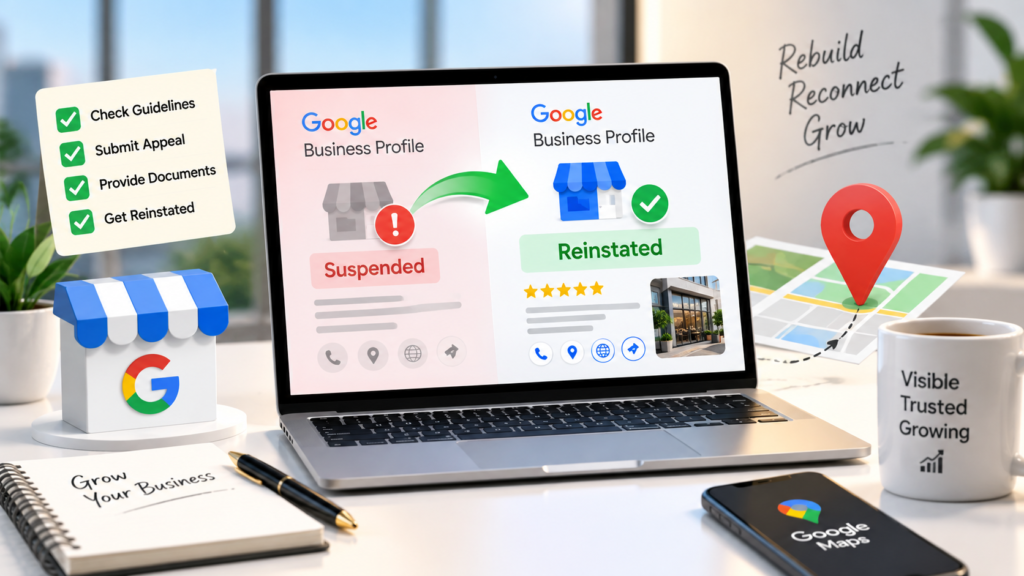
You open Google Maps to check your listing, and it is gone. Or it is still there, but your dashboard shows a “Suspended” label, and you can no longer reply to reviews or update your hours. Either way, calls drop and customers searching for you find your competitors instead.
The good news is that most suspensions can be reversed. Google Business Profile reinstatement is a structured appeal process, and businesses that fix the real problem and submit clear evidence on the first attempt give themselves the best chance of getting back on Maps. This guide covers the full 2026 process, from diagnosis to ranking recovery.
Quick answer: To reinstate a suspended Google Business Profile, identify the guideline violation, fix it on your profile, gather documents that prove your business is real, and submit one appeal through the Google Business Profile appeals tool. Do not create a new profile while your appeal is under review.
What Does It Mean When Your Google Business Profile Is Suspended?
Seeing a Google Business Profile suspended notice means Google has decided that your profile, or the account that manages it, does not meet its guidelines. Google rarely tells you the exact reason. Most notices use broad labels, so you often need to diagnose the issue yourself.
Soft Suspension
Your listing still appears on Google Search and Maps, but you lose the ability to manage it. This often happens when Google doubts one detail, such as your address.
Hard Suspension
Your listing is removed from Search and Maps completely.
Suspended Profile vs Restricted Account
A suspended profile affects one listing. A restricted Google account affects every profile that account manages. If your account is restricted, you need to lift that restriction first from your My accounts page before you can appeal any profile suspension.
|
Type |
Visible on Maps? | Can you edit it? | What to fix first |
|
Soft suspension |
Yes | No | The flagged detail on your profile |
|
Hard suspension |
No | No |
Eligibility and core business details |
| Account restriction | Depends | No, across all profiles |
The Google account itself |
How to Check If Your Profile Is Suspended
Sign in to your Business Profile and look for a status label, then check your inbox and spam folder for an email from Google. Finally, search your business name on Google Maps in a private browser window. If the listing still shows, it is likely a soft suspension. If it has disappeared, treat it as a hard suspension.
Why Is Your Google Business Profile Suspended? The Most Common Causes
If you are still asking yourself “why is my Google Business Profile suspended,” our detailed guide breaks down every trigger. The most common causes are:
- Keyword-stuffed business name. Adding cities, services, or taglines to your name, such as “Ace Plumbing | 24/7 Emergency Plumber Dallas,” is one of the most common triggers.
- Ineligible address. Virtual offices, PO boxes, and shared coworking desks without a dedicated, staffed space can lead to suspension.
- Service-area setup errors. If you travel to customers and do not serve them at your location, you should hide your address and set a service area instead.
- Duplicate listings. Two profiles for the same business at the same location confuse Google and often trigger action on both.
- Inconsistent NAP details. When your name, address, and phone number differ across your website, directories, and profile, Google has less reason to trust any of them.
- Too many edits at once. Changing your name, address, and categories on the same day can look like a takeover or manipulation.
- Irrelevant categories. Choosing categories for services you do not offer.
- Review manipulation. Buying reviews or offering rewards in exchange for them.
- Third-party reports. Anyone can suggest an edit or report a listing on Maps, including competitors.
- A risky manager account. Giving access to a user or agency whose own account has a history of violations can put your profile at risk.
Audit Your Profile Before You Appeal
The biggest mistake is appealing first and fixing later. Google reviews your profile as it stands when the appeal arrives. That is why a full Google Business Profile audit should always come before you touch the appeals tool.
Check each of these points against Google’s guidelines:
- Business name matches your signage, website, and registration documents
- Address is a real, eligible location, or hidden if you are a service-area business
- Phone number is local and answered by your business
- Primary and secondary categories reflect what you actually do
- Listed services and products are ones you genuinely offer
- No duplicate profiles exist for the same location
- Only trusted people have owner or manager access
Make your corrections in a single pass. Constant back-and-forth edits during a suspension make your profile look less stable.
How to Reinstate a Suspended Google Business Profile: Step by Step
Once your profile is clean, you are ready to request Google Business Profile reinstatement. For a broader troubleshooting checklist that covers unusual edge cases, see our post on how to fix suspended Google Business Profile problems.
Step 1: Confirm the Likely Violation
Match your audit findings to the notice Google sent. Your audit will usually reveal the real cause, even if the notice is vague.
Step 2: Correct Every Issue
Fix all the problems, not just the most obvious one. If your name contained keywords and your category was also wrong, correct both before appealing.
Step 3: Prepare Your Evidence
Gather your documents before you start the appeal. Save them as clearly named files so you can upload them quickly.
Step 4: Open the Google Business Profile Appeals Tool
Sign in with the Google account connected to your profile, open the appeals tool, and select the suspended profile you want to appeal.
Step 5: Submit Your Appeal and Add Evidence
Write a short explanation and submit it. You may then be prompted to add evidence through a linked form. Google states that once you open this evidence form, you must submit it within 60 minutes or it will not be attached to your appeal.
Step 6: Track the Status
You can check the progress of your appeal inside the same appeals tool.
Step 7: Wait and Avoid Duplicate Appeals
Submit one appeal per issue and wait for a decision. Google advises against submitting multiple appeals for the same problem and against creating a new profile for the same business while a review is in progress.
What Evidence Should You Submit?
Strong evidence often decides the outcome. Useful documents include:
- Business license or government registration certificate
- Utility bill or lease agreement showing your business address
- Photos of your exterior signage, with the street or building visible
- Photos of your interior, workspace, or branded vehicles
- A short video showing your storefront, signage, and the inside of your business
Make sure every document shows the same business name and address as your profile.
Your written explanation should be short and factual. Here is an example you can adapt:
“Our profile was suspended. We have corrected the business name to match our signage and registration, removed a category for a service we do not offer, and attached our business license, a utility bill, and photos of our storefront signage.”
Avoid emotional language or blaming Google. Reviewers want to see what was wrong, what you fixed, and the proof.
How Long Does Reinstatement Take?
Google says appeal reviews can take up to five business days. Cases with weak evidence or account restrictions can take longer. Use the waiting period to fix inconsistent business details on your website and major directories.
What to Do If Your Appeal Is Rejected
A rejection is not always the end of the road. It usually means an issue remains or the evidence was weak. Re-audit your profile with fresh eyes and look for anything you missed, such as a second duplicate listing. Then consider these next steps:
- Strengthen your evidence with clearer photos or a walkthrough video
- Post in the Google Business Profile Help Community, where Product Experts can sometimes review and escalate cases
- Work with a specialist who handles reinstatements regularly
Resist the urge to create a fresh profile. It often leads to another suspension and makes recovering the original listing, along with its reviews, much harder.
After Reinstatement: How to Recover Your Rankings
Your visibility may not bounce back overnight. First, confirm that your reviews, photos, and posts have returned. If anything is still missing after a few days, contact Google Business Profile support.
Rankings can take time to settle after a suspension. To speed up recovery, focus on the signals that carry the most weight in local search, which we explain in our guide to Google Maps Ranking Factors in 2026.
Resume activity gradually. Publish updates, reply to reviews, and add new photos over the following weeks rather than making every change on day one.
How to Prevent Future Suspensions
Prevention is far easier than recovery. The habits below keep your listing safe over the long term, and our guide on How to Manage Your Google Business Profile shows how to build them into a simple weekly routine.
- Make one edit at a time and space out major changes
- Keep your name, address, and phone number identical everywhere online
- Review who has access to your profile every few months and remove anyone you do not recognize
- Never buy reviews or offer rewards in exchange for them
If you are opening a new location or rebuilding a listing from scratch, following the correct Google Business Profile Setup process from day one helps you avoid most of the triggers covered above.
Final Thoughts
A calm, methodical approach works far better than a rushed one. Diagnose the cause, fix every issue, prepare solid evidence, and submit one clear appeal. That is the most reliable path to a successful Google Business Profile reinstatement.
Need help getting your listing back? Book a free profile review with our team, and we will pinpoint what triggered the suspension and help you prepare a strong appeal.
Frequently Asked Questions
1. How long does Google Business Profile reinstatement take?
Google states that appeal reviews can take up to five business days. Complex cases can take longer.
2. Should I create a new profile while my old one is suspended?
No. Google specifically advises against creating a new profile for the same business while your appeal is under review.
3. Will I get my reviews back after reinstatement?
In most cases, your reviews, photos, and history return when the original profile is reinstated. This is one of the strongest reasons to appeal rather than start over.
4. What documents does Google accept as evidence?
Business licenses, registration certificates, utility bills, lease agreements, signage photos, and videos of your location are commonly used. Every document should match the name and address on your profile.
5. What is the difference between a soft and hard suspension?
A soft suspension keeps your listing visible but removes your ability to manage it. A hard suspension removes the listing from Search and Maps entirely. Both require an appeal.
6. Can a competitor get my Google Business Profile suspended?
A competitor can report your listing or suggest edits to it, and those reports may prompt Google to review your profile. A fully compliant profile with accurate, consistent details is much harder to take down.
7. What should I do if my appeal is rejected?
Re-audit your profile, fix any remaining issues, strengthen your evidence, and seek help from the Google Business Profile Help Community or a reinstatement specialist. Avoid creating a new listing.

About the Author
SparkLocal HQ Team
The SparkLocal HQ team helps local businesses across the US, UK and beyond get found on Google. We specialise in Google Business Profile management, reinstatement, and local SEO that drives real calls and customers.
Was this article helpful?
Keep Reading
Related Articles
Need help with your Google Business Profile?
Free audit — we'll find exactly what's holding your profile back.