

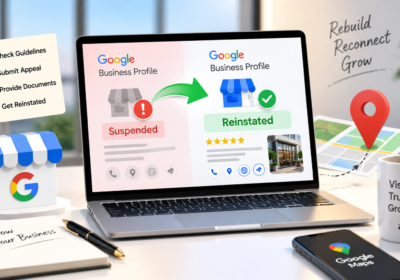
The Top 7 Reasons for GBP Suspension (And How to Avoid Them)

If your Google Business Profile disappeared from Maps overnight, you are not alone. GBP suspensions have spiked sharply in 2026. Suspension reports were already up more than 80 percent globally in 2024, Google blocked roughly 292 million policy-violating reviews in 2025, and in April 2026 a series of mass suspension waves removed thousands of listings at once, including verified profiles with years of clean history.
The stakes have never been higher. A suspended profile does not just cost you Map Pack rankings. AI tools like ChatGPT, Gemini, and Perplexity pull heavily from Google Business Profile data when recommending local businesses, so a GBP suspension can make you invisible across the entire local search ecosystem.
The good news: almost every suspension traces back to a handful of predictable triggers. In this guide, we break down the top 7 reasons for GBP suspension in 2026 and show you exactly how to avoid each one.
First, Know the Two Types of GBP Suspension
Before diving into the causes, understand what you are dealing with. A soft suspension keeps your listing visible in Search and Maps, but locks you out of managing it. You cannot respond to reviews, view insights, or publish edits. A hard suspension removes your listing from Google entirely, and your customers simply cannot find you.
Both types stem from the same root issue: Google’s trust systems have flagged something about your profile. Identifying which trigger applies to you is the first step toward prevention and reinstatement.
1. Keyword Stuffing in Your Business Name
This is the single most common GBP suspension trigger, and in 2026 it has become the most dangerous. Adding descriptors like “ABC Plumbing | Best Emergency Plumber Tampa 24/7” to your profile name violates Google’s guidelines, which require your business name to match your real-world branding, signage, and official documentation.
What changed this year is enforcement. Google is now applying this rule retroactively. Agencies have reported clients suspended for name violations that sat untouched on their profiles for three years or more. The keyword-stuffed name that quietly boosted your rankings in 2023 is a liability in 2026.
How to avoid it: Use your exact legal or storefront name, nothing more. If your signage says “Smith Plumbing,” your GBP name should say “Smith Plumbing.” Put your service keywords in your business description, services, and categories, where they belong.
2. Virtual Offices, PO Boxes, and Invalid Addresses
Google requires a real physical address where your business actually operates and meets customers during stated hours. Virtual offices, coworking suites you never visit, UPS store mailboxes, and PO boxes are among the fastest routes to a hard suspension.
Detection has become far more sophisticated. Google now cross-references GBP addresses against postal data, Street View imagery, and even business license databases. If your listed address is a Regus suite with no signage and no staff, the algorithm will eventually catch it.
How to avoid it: Only list an address where customers can genuinely find you. If you work from home or travel to clients, set your profile up as a service-area business and hide the address instead.
3. Service-Area Business Misconfiguration
Service-area businesses (SABs) like plumbers, cleaners, and mobile services are suspended at disproportionately high rates, usually because of one setting: the visible address toggle. If customers do not visit your location, displaying an address is a policy violation.
Format changes are another trap. Switching from a retail storefront to a delivery or mobile model, or vice versa, requires following Google’s process carefully. Simply deleting the address or swapping the category is often read by Google’s algorithms as data manipulation, triggering an immediate suspension.
How to avoid it: Hide your address if you have no walk-in customers, define a service area that matches how you actually operate, and follow Google’s official steps whenever your business model changes.
4. Duplicate Listings
Two profiles for the same business, same address, or same phone number create a trust conflict inside Google’s local systems, and in 2026 duplicates are being mass-suspended, even when each listing targets a different service.
Duplicates usually appear by accident: an old listing created by a previous agency, a leftover profile from before a rebrand, or a well-meaning attempt to rank for multiple services from one location. Worst of all is creating a fresh listing after a suspension, which compounds the problem and can restrict your entire account.
How to avoid it: Audit Google Maps for every variation of your business name, address, and phone number. Claim and merge or remove duplicates before Google decides for you. One location, one profile.
5. Inconsistent Business Information (NAP Mismatches)
Your business name, address, phone number, website, hours, and categories must tell the same story everywhere: your GBP, your website, and major directories. When Google finds discrepancies, such as your profile saying one city while your website says another, it questions the legitimacy of the listing.
Hours accuracy matters more than most owners realise. Listing 24/7 availability when no one actually answers at 3 a.m. is classified as misleading content. If a user complaint or a Google check finds the business closed during stated hours, that alone can justify a suspension.
How to avoid it: Run a quarterly NAP consistency audit across your website, GBP, and top citations. Set real hours, update them for holidays, and fix mismatches the moment you rebrand, move, or change numbers.
6. Category Abuse and Misrepresented Services
Choosing categories broader than what you actually do is treated as deceptive content. A handyman listed as a general contractor, or a cleaning company using an unrelated high-volume category to widen its reach, is manipulating search results in Google’s eyes.
There is also a new trigger unique to 2026: Google has started auto-populating the Services section of profiles using machine learning. If the algorithm adds services you do not actually offer, and a customer reports the mismatch, your profile can be flagged for misrepresentation through no direct action of your own.
How to avoid it: Pick the single most accurate primary category, add only secondary categories you genuinely serve, and audit your Services section monthly. Delete anything Google auto-added that you do not provide.
7. Suspicious Activity and Account-Level Restrictions
One of the fastest-growing suspension causes in 2026 is not about the listing at all. It is about the accounts that touch it. Rapid bulk edits, review manipulation, sudden ownership transfers, and logins from accounts Google does not trust can all trigger a “suspicious activity” suspension on an otherwise clean profile.
The account-level risk is severe: if a Google account shows a pattern of policy violations, every Business Profile associated with that account gets suspended. For multi-location brands and businesses working with agencies, one compromised or restricted manager account can take down your entire portfolio.
How to avoid it: Keep the business owner as the primary owner of the profile, grant manager access sparingly, remove ex-employees and old agencies immediately, and make significant profile changes gradually rather than all at once.
Your GBP Suspension Prevention Checklist
- Business name matches your signage, license, and tax documents exactly
- Address is a real, staffed location, or hidden if you are a service-area business
- Service area reflects where you actually work
- No duplicate listings exist for your business anywhere on Maps
- NAP details match across your website, GBP, and citations
- Hours are accurate, including holiday updates
- Categories and services reflect only what you genuinely offer
- Auto-added services are audited monthly
- Owner account is clean, secure, and holds primary ownership
- Business license, utility bill, and signage photos are organised and ready
That last point deserves emphasis. Businesses that keep documentation ready can respond to a suspension within hours instead of days, which meaningfully shortens recovery time.
Already Suspended? Do This (And Avoid These Mistakes)
If the suspension has already happened, resist the urge to react impulsively. Do not create a new listing, and do not make constant random edits while under review; both signal instability and slow reinstatement down.
Instead, diagnose the root cause using the seven triggers above, fix the violation completely, then submit one appeal through Google’s official reinstatement tool with supporting evidence such as your business license, a utility bill at the listed address, and photos of your storefront signage. Most reinstatements take around 3 to 7 business days. If denied, fix any additional issues and resubmit rather than spamming multiple appeals.
Final Thoughts: Suspensions Are Trust Problems
Every GBP suspension comes down to the same question: does Google trust that your profile accurately represents a real business? In 2026, with AI-driven enforcement and mass suspension waves, the margin for error is smaller than ever. Accuracy, consistency, and clean account hygiene are no longer optimisation tactics; they are survival requirements.
Not sure whether your profile has hidden risks? Run it through the free SparkLocal HQ GBP audit tool and get a clear picture of your compliance gaps before Google finds them first.
Frequently Asked Questions
How long does a GBP suspension last?
Once you submit a reinstatement appeal, Google typically responds within 3 to 7 business days. Complex cases, multi-location accounts, and account-level restrictions can take longer, especially if Google performs broader trust checks.
Can I create a new profile while my listing is suspended?
No. Creating a new listing is one of the most common mistakes suspended businesses make. It creates duplicate issues, deepens the trust problem, and can lead to additional suspensions or a full account restriction.
Does a GBP suspension affect my organic rankings?
Indirectly, yes. You lose Map Pack visibility, citation signals, and review signals, all of which feed into your local search authority. You also lose visibility in AI tools that rely on GBP data for local recommendations.
Why was my profile suspended when I did not change anything?
Google’s 2026 enforcement is retroactive and pattern-based. Old violations that were previously tolerated are now being flagged, and mass enforcement sweeps can suspend profiles that match risky patterns by industry, region, or behaviour, even without a recent edit.
What evidence should I include in a reinstatement appeal?
The strongest evidence proves your business is real and operating at the listed address: a business license, a recent utility bill matching the address, and clear photos of your storefront or vehicle signage. Keep these documents organised before you ever need them.

About the Author
SparkLocal HQ Team
The SparkLocal HQ team helps local businesses across the US, UK and beyond get found on Google. We specialise in Google Business Profile management, reinstatement, and local SEO that drives real calls and customers.
Was this article helpful?
Keep Reading
Related Articles
Need help with your Google Business Profile?
Free audit — we'll find exactly what's holding your profile back.