

How to Optimize Your Google Business Profile for Local SEO
Did you know that nearly 46% of all Google searches have local intent? That means almost half the people searching on Google right now are looking for a business, service, or product near them – and if your business isn’t showing up, you’re handing those customers to your competitors.
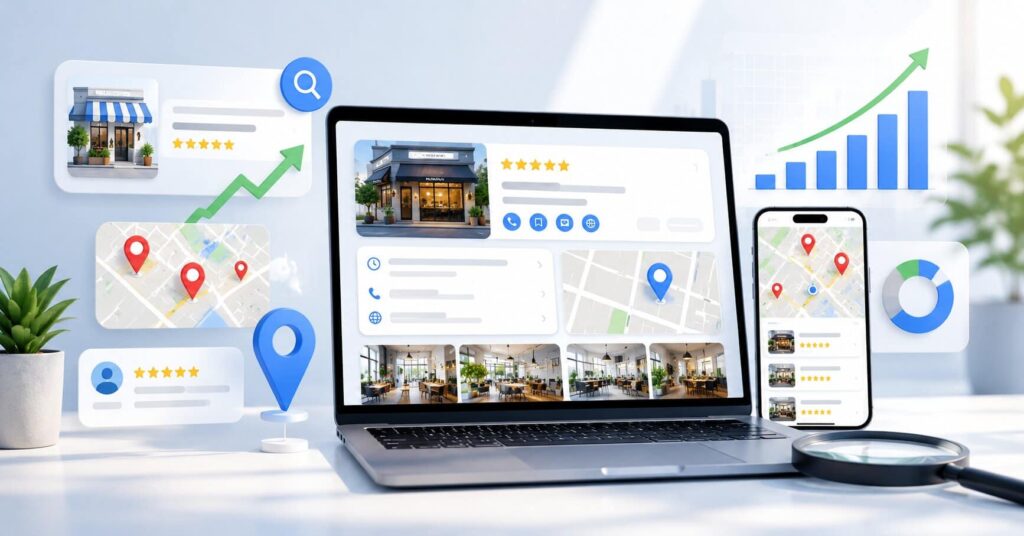
One of the most powerful – and completely free – tools available to local businesses is the Google Business Profile (GBP). When properly optimized, your Google Business Profile for Local SEO can place your business at the very top of search results, right inside the coveted Google Local Pack and Google Maps.
In this guide, you’ll learn exactly how to claim, complete, and optimize your Google Business Profile step by step – from the basics of setup to advanced strategies for reviews, posts, and tracking performance.
What Is Google Business Profile and Why It Matters for Local SEO
Google Business Profile (formerly known as Google My Business) is a free tool that allows businesses to manage how they appear across Google Search and Google Maps. When someone searches for a local service – like “plumber near me” or “best coffee shop in Miami” – Google displays a box at the top of the results called the Local Pack (or 3-Pack). This block shows three businesses with their name, rating, address, phone number, and hours.
Getting into that Local Pack is one of the highest-value outcomes of local SEO, and your Google Business Profile is the primary factor that determines whether you appear there.
Beyond search visibility, a well-optimized GBP profile:
- Drives direct phone calls from search results
- Sends traffic to your website
- Guides customers to your physical location via Google Maps
- Builds trust through verified customer reviews
- Lets you share promotions, updates, and events directly on Google
Best of all, it costs nothing. For most local businesses, optimizing a Google Business Profile for Local SEO delivers a higher return on investment than almost any paid channel.
How to Claim and Verify Your Google Business Profile
Before you can optimize anything, you need to claim and verify your listing. Here’s how to do it:
- Go to business.google.com
- Sign in with a Google account associated with your business
- Search for your business name – if it already exists, claim it; if not, create a new listing
- Enter your business details (name, category, location)
- Choose a verification method
Google offers several ways to verify your profile:
- Postcard by mail – most common; Google mails a code to your business address
- Phone verification – available for some businesses
- Email verification – available in select cases
- Video verification – increasingly common for new listings
Pro tip: Complete verification as quickly as possible. Unverified profiles have severely limited visibility and cannot rank competitively in local search. Once verified, you unlock full control over your listing.
Complete Every Section of Your Google Business Profile
Profile completeness is a direct ranking signal. Google rewards businesses that fill out every available field because it signals that the listing is legitimate, active, and trustworthy. Here’s what to fill out and how:
Business Name: Use your real-world business name exactly as it appears on your signage and official documents. Do not add keywords or location names to your business name – this violates Google’s guidelines and can result in your listing being suspended.
Business Category: This is one of the most important fields on your profile. Choose carefully.
Address and Service Area: Enter your physical address accurately. If you serve customers at their location, you can hide your address and define a service area instead.
Phone Number: Use a local phone number rather than a toll-free number. Local numbers reinforce your geographic relevance to Google and to customers.
Website URL: Link to your homepage or a specific landing page relevant to local customers. Ensure this page is mobile-friendly and loads quickly.
Hours of Operation: Keep your hours accurate at all times. Update them for public holidays, special closures, and seasonal changes. Inaccurate hours frustrate customers and hurt your reputation.
Business Description: You have 750 characters to describe your business. Use the first 250 characters wisely – this is what shows by default before the “More” button. Naturally include your primary keyword and describe what makes your business unique.
Attributes: These are additional tags that highlight specific features of your business, such as “Women-led,” “Wheelchair accessible,” “Free Wi-Fi,” or “Outdoor seating.” Select every relevant attribute – they help your listing appear in filtered searches.
How to Choose the Right Categories for Local SEO
Your primary business category is one of the strongest ranking signals in your entire GBP profile. Google uses it to decide which searches your business is relevant for, so choosing correctly is critical.
When selecting your primary category:
- Be as specific as possible. “Italian Restaurant” outperforms “Restaurant.” “Emergency Plumber” outperforms “Contractor.”
- Browse Google’s full list of available categories before deciding – there are thousands, and you may find a perfect match you weren’t aware of
- Match your category to what your customers are actually searching for
In addition to your primary category, you can add up to nine secondary categories. Use these to cover additional services you offer. For example, a dental clinic might use “Dentist” as its primary category and add “Cosmetic Dentist,” “Pediatric Dentist,” and “Teeth Whitening Service” as secondary categories.
To research the best categories for your business, search for your top competitors on Google Maps and look at what categories they’re using. This gives you real-world insight into what’s working in your local market.
Use Photos and Videos to Boost Your Google Business Profile
Visual content has a measurable impact on your GBP performance. Businesses with photos on their profiles receive significantly more website clicks and requests for directions than those without. Photos signal to both Google and potential customers that your business is active and legitimate.
Here are the types of photos you should upload:
- Logo – ensures brand consistency across Google Search and Maps
- Cover photo – the first image customers see; make it count
- Exterior photos – help customers recognize your location
- Interior photos – set expectations and build comfort before a visit
- Team photos – humanize your business and build trust
- Product or service photos – show customers exactly what you offer
Aim to add new photos at least once a week. Regular uploads signal to Google that your business is active, which can positively influence your ranking.
For videos, you can upload clips up to 30 seconds long and 75MB in size. Use video for virtual walkthroughs, product demonstrations, or short promotional content. Where possible, use geo-tagged images – photos with your business’s GPS coordinates embedded in their metadata. Always avoid using stock photography; authentic images perform better and are more trusted by both Google and customers.
How Customer Reviews Impact Your Google Business Profile for Local SEO
Customer reviews are one of Google’s most significant local ranking factors, and they influence both your position in search results and your click-through rate once you appear. A business with 200 reviews and a 4.7-star rating will almost always outperform a competitor with 15 reviews and a 4.9-star rating.
How to Consistently Generate Reviews
- Ask satisfied customers in person immediately after a positive experience
- Send a follow-up email or SMS with a direct link to your GBP review page
- Display a QR code at your counter, on receipts, or on business cards that takes customers directly to the review form
- Train your team to mention reviews as part of the customer service process
How to Respond to Reviews
Responding to every review – positive and negative – shows Google and customers that you’re engaged. For positive reviews, thank the customer by name, mention your business name naturally, and occasionally include a relevant keyword. For negative reviews, respond calmly and professionally, acknowledge the issue, and invite the customer to resolve it offline. Never respond defensively or argue publicly.
Google evaluates reviews based on four factors: quantity (how many), recency (how recent), rating (overall score), and diversity (reviews across different services or products). Aim for a steady, consistent stream of new reviews rather than bursts followed by long gaps.
Leverage Google Posts to Improve Local Visibility
Google Posts are short, social-media-style updates that appear directly on your Google Business Profile in search results. They are an underused tool that can significantly boost engagement and signal to Google that your business is active.
There are three main types of Google Posts:
- Updates – general announcements, news, or business highlights
- Offers – promotions with a start and end date; include a redemption code or offer details
- Events – upcoming events with dates, times, and optional ticket links
Best practices for Google Posts:
- Post at least once per week to maintain freshness
- Always include a clear call to action (e.g., “Book Now,” “Learn More,” “Get Offer”)
- Add a high-quality image to each post – posts with images get more engagement
- Incorporate relevant keywords naturally in your post copy
- Keep your copy concise and benefit-focused – lead with what matters most to the customer
Note that standard Update posts expire after 7 days. Event posts remain active until the event date. Build a simple content calendar to keep your posting consistent.
Optimize the Q&A Section on Your Google Business Profile
The Q&A section of your Google Business Profile allows anyone – customers, prospects, or even competitors – to ask and answer questions about your business. This makes it one of the most overlooked yet risky sections of your profile.
Here’s how to use it strategically:
Seed your own questions and answers. Think about the most common questions your customers ask – about your hours, services, pricing, parking, or policies – and post them yourself using a personal Google account. Then switch to your business account and provide a thorough, keyword-rich answer.
Monitor the section regularly. Because anyone can answer questions, incorrect or misleading information can appear without your knowledge. Set up alerts or check your Q&A weekly to catch and correct any inaccurate responses.
Upvote your own Q&As. Questions with more upvotes appear higher in the list. Upvoting your most important Q&As ensures customers see the most relevant information first.
Why NAP Consistency Is Critical for Local SEO
NAP stands for Name, Address, and Phone Number – the three core pieces of information that identify your business across the internet. When this information is inconsistent across different websites and directories, it creates confusion for Google’s algorithm, which can hurt your local rankings.
For example, if your GBP lists your address as “12 Main Street” but your Yelp listing says “12 Main St.” and your website says “12 Main Street, Suite A,” Google may treat these as three different businesses. That dilutes your local authority.
To ensure NAP consistency:
- Audit all existing mentions of your business online – check Yelp, Facebook, Better Business Bureau, and industry-specific directories
- Correct any discrepancies so that your business name, address, and phone number match your GBP exactly
- Make sure your website’s contact page uses the exact same NAP information as your GBP
- Consider using citation management tools like BrightLocal, Moz Local, or Yext to manage and monitor your listings at scale
Monitor and Improve with Google Business Profile Insights
Optimization is not a one-time task. To continue improving your rankings and conversions, you need to regularly analyze how your profile is performing. Google Business Profile Insights gives you valuable data on how customers are finding and interacting with your listing.
Key metrics to track:
- Search queries – what keywords people are using to find your profile
- How customers find you – direct search (they searched your business name) vs. discovery search (they searched a category or keyword)
- Customer actions – how many people clicked to call, visited your website, or asked for directions
- Photo views – how your photo performance compares to similar businesses in your area
Use this data to make informed decisions. For deeper analytics, connect your GBP to Google Search Console to see which queries drive traffic to your website, and to Google Analytics to track what GBP visitors do after they arrive on your site.
Start Optimizing Your Google Business Profile for Local SEO Today
Your Google Business Profile is one of the most powerful tools available for growing your local presence online – and it doesn’t cost a single dollar to use. From claiming and verifying your listing to generating consistent reviews and publishing weekly posts, every step you take builds a stronger, more visible profile.
Remember: GBP optimization is not a set-it-and-forget-it task. The businesses that dominate local search are the ones that treat their profile as a living, active marketing asset. They update their photos, respond to every review, post regularly, and check their Insights monthly.
Start by auditing your current profile against the steps in this guide. Identify the gaps – missing photos, outdated hours, unanswered reviews – and work through them one by one. Small, consistent improvements compound over time into significant local search dominance.
Your next local customer is already searching. Make sure they find you.
Frequently Asked Questions About Google Business Profile for Local SEO
Is Google Business Profile free to use?
Yes, creating and optimizing a Google Business Profile is completely free. There are no subscription fees or pay-to-rank options within GBP itself. It remains one of the highest-ROI tools available to local businesses of any size.
How long does it take for GBP optimization to improve rankings?
Most businesses begin to see measurable improvement within 4 to 8 weeks of fully optimizing their profile. Results vary based on your market competitiveness, how active your profile is, and how consistently you generate new reviews. Regular posting and steady review growth can accelerate the timeline.
Can I have multiple Google Business Profiles?
Yes. If your business operates from multiple physical locations, you should create a separate Google Business Profile for each location. Each profile must be individually verified and optimized. For businesses with 10 or more locations, Google offers a bulk upload option through the GBP dashboard.
What is the most important ranking factor for Google Business Profile?
Google uses three core factors to determine local rankings: relevance (how well your profile matches the search query), distance (how close your business is to the searcher), and prominence (how well-known and established your business is online). Among the factors you can directly control, your business category, review volume and recency, profile completeness, and NAP consistency have the most impact.
Does adding keywords to my business name help with local SEO?
No – and it can seriously backfire. Adding keywords or location names to your business name violates Google’s guidelines. Google may suspend your listing or reduce its visibility. Incorporate keywords naturally in your business description, Google Posts, and review responses instead.

About the Author
SparkLocal HQ Team
The SparkLocal HQ team helps local businesses across the US, UK and beyond get found on Google. We specialise in Google Business Profile management, reinstatement, and local SEO that drives real calls and customers.
Was this article helpful?
Keep Reading
Related Articles
Need help with your Google Business Profile?
Free audit — we'll find exactly what's holding your profile back.