

The Complete Local SEO Audit Guide: Process, Checklist & Client Report Template (2026)
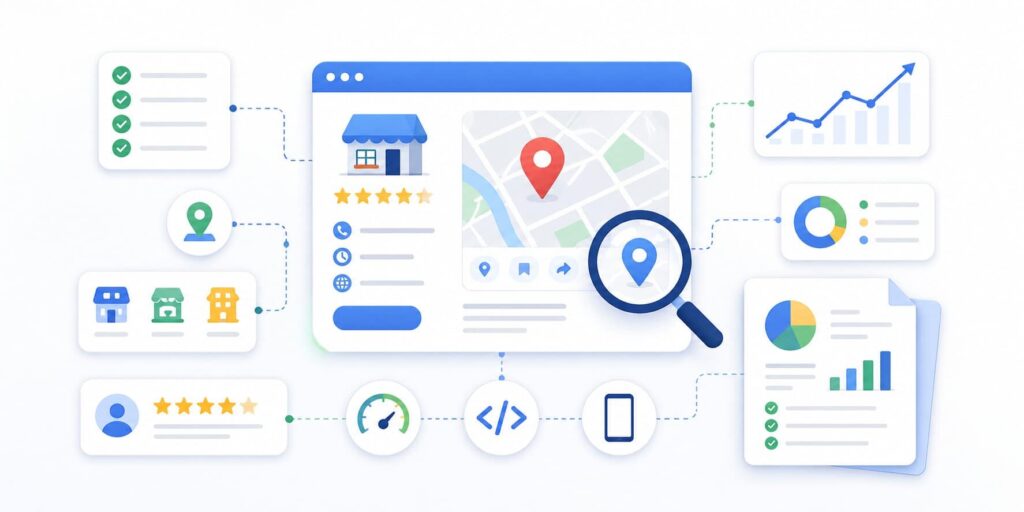
A local SEO audit tells you exactly why a business isn’t showing up in the map pack – and what to fix first to change that. This guide walks through the full process: what to check on the Google Business Profile, citations, reviews, on-page and technical SEO, and backlinks, how to prioritize what you find, and how to turn it into a client-ready report. You’ll also get a free downloadable checklist and an example report structure at the end.
Whether you’re a freelancer running your first audit, an agency scaling this across dozens of clients, or a business owner trying to understand why a competitor outranks you, this guide covers every piece of the puzzle in the order that actually moves rankings.
What Is a Local SEO Audit?
A local SEO audit is a structured review of every signal that determines whether a business shows up in local search results – the map pack, Google Maps, and increasingly AI-generated answers from tools like AI Overviews and ChatGPT. It examines the Google Business Profile (GBP), citation consistency across directories, review profile health, on-page and technical SEO, and the local backlink profile, then compares all of it against the businesses already ranking in the target area.
Unlike a generic website audit, a local SEO audit is scoped entirely to local visibility. Every finding ties back to one question: does this help the business show up when a nearby customer searches, and does it get them to call, visit, or convert once they find it?
Why Local SEO Audits Matter
For agencies and freelancers, a local SEO audit does three jobs at once:
- It’s a sales tool. Showing a prospect exactly what’s broken on their Google Business Profile is one of the fastest ways to start a client relationship. A concrete, scoped audit is easier to sell than a vague retainer pitch.
- It’s a project scoping tool. The findings become the task list that defines the first few weeks (or months) of work.
- It’s a recurring health check. Local search shifts constantly – algorithm updates, new competitors, changing review patterns – so a one-time audit goes stale fast. Businesses that treat it as an ongoing loop protect the rankings they’ve already earned.
For business owners auditing their own listing, it answers the question that actually matters: why does the business three doors down outrank me, and what would it take to close that gap?
Before You Start: Set a Competitor Baseline
Every finding in a local SEO audit only means something in context. Ten photos on a Google Business Profile isn’t “good” or “bad” until you know the top three competitors have sixty. Before auditing the target business, run the same checks below on the 3–5 businesses currently ranking at the top of the map pack for the target’s main keywords.
What to compare:
- Keywords used in their GBP description, services, and posts
- Review count, review velocity, and recurring themes in customer feedback
- GBP fields the competitor has filled in that the target business hasn’t
- Number and quality of photos and videos
- Posting frequency and content type
This comparison is what turns a checklist into a prioritized plan. Without it, you’re guessing at what “good” looks like in that specific market.
Step 1: Google Business Profile Audit
The Google Business Profile (GBP) is usually where a local SEO audit finds the most fixable issues, and often the fastest wins. Go through every field and content section.
Business Information
- Business name – Matches the real-world, legally registered name. No keyword stuffing (e.g., “Smith Plumbing” not “Smith Plumbing – Best Emergency Plumber Denver”).
- Primary category – The single most specific category available, not a generic catch-all (e.g., “Emergency Plumber” rather than “Plumber,” if available).
- Secondary categories – Up to 9 relevant categories added, all accurate to what the business actually offers.
- Address – Formatted to local postal standards; service-area businesses have their service area configured correctly instead of a public address.
- Phone number – The primary line, actually answered during business hours (not a call center or tracking number that changes).
- Website URL – Points to the homepage for single-location businesses, or the specific location page for multi-location businesses.
- Business description – Under 750 characters, naturally includes relevant service and location keywords, and clearly states what makes the business different.
- Products and services – Fully listed with descriptions and pricing where possible.
- Attributes – All relevant amenity, accessibility, and identity attributes selected.
Content
- Cover photo – High-quality, professional, representative of the actual business.
- Logo – Properly formatted and high-resolution.
- Photos – Regularly updated images of the team, facility, products, and completed work.
- Videos – Short clips showing services, facilities, or customer testimonials.
- Posts – Published on a consistent schedule (weekly is a reasonable baseline) with offers, updates, or events.
Engagement
- Messaging – Enabled and actively monitored, not left unanswered.
- Booking/appointments – Set up if the business type supports it.
GBP Audit → Tasks
Every unchecked item above becomes a task: fix the category, rewrite the description, upload missing photos. Cross-reference against the competitor baseline – anything a top competitor has that the target business doesn’t is also a task. Expect this step to surface the longest list of quick wins in the entire audit.
Step 2: Local Keyword Research
Local keyword research finds the actual terms nearby customers type – not just national search volume, but local intent.
Focus on three categories:
- Service-based keywords – g., “emergency electrician,” “wedding photographer”
- Location-based modifiers – g., “electrician in Jaipur,” “photographer near me”
- Neighborhood or district-level terms – g., “Malviya Nagar electrician”
Where to find them: the Performance report inside Google Business Profile Manager shows the exact search terms that triggered the listing to appear – a free, first-party source that reflects real local search behavior. Cross-check against the business’s website content and GBP fields to spot missing terms.
Keyword Audit → Tasks
Add missing terms to the GBP description, services list, and posts. Hand the client (or your content writer) a prioritized keyword list for the website’s service and location pages.
Step 3: On-Page SEO Audit
A website signals local relevance when every page makes it obvious, to both users and search engines, where the business operates and who it serves.
Check:
- URL structure – Location and service pages use a clean, predictable structure (e.g., example.com/services/city/).
- Title tags and meta descriptions – Include the primary service and location keyword.
- Headings (H1, H2, H3) – Reinforce local relevance, not generic boilerplate.
- Content quality – Actually addresses local customer needs and demonstrates expertise, rather than thin, templated copy repeated across every location page.
- Internal linking – A logical structure connecting service pages, location pages, and supporting content.
- User experience – Clear calls to action, fast navigation, and content that encourages a call, visit, or form fill.
On-Page Audit → Tasks
Rewrite weak title tags and H1s with service-plus-location terms. Fill out thin or missing location pages. Fix broken or missing internal links between related pages.
Step 4: Technical SEO Audit
None of the above matters if a page can’t be crawled and indexed – and that bar now applies to AI search bots as well as Google’s, since AI tools fetch pages to decide which local businesses to cite and recommend.
Check, in order of what breaks visibility first:
- Crawlability and indexation – Are location and service pages actually indexed? Check Search Console coverage or run a site: search.
- HTTPS security – Is the entire site secured?
- Status errors – Any broken links or 404s sending visitors and crawlers to dead pages?
- Schema markup – Is LocalBusiness schema in place so Google and AI systems can parse business details cleanly?
- Mobile responsiveness – Most “near me” searches happen on a phone with intent to call or visit – does the site hold up on mobile?
- Page speed – Do pages load in under a few seconds on both desktop and mobile? Slow pages lose both impatient visitors and crawl budget.
Technical Audit → Tasks
Get indexation issues fixed first, then clear broken links, add missing schema, and resolve mobile and speed problems.
Step 5: Local Citations & NAP Audit
A citation is any online mention of the business’s Name, Address, and Phone number (NAP), often alongside the Website (NAP+W). This step checks whether that information is consistent everywhere it appears.
Start with the sources that carry the most weight:
- Primary data aggregators – g., Data Axle, Neustar Localeze, Foursquare
- Major platforms – Google, Bing Places, Apple Business Connect, Yelp
- Industry-specific directories – relevant to the business’s category
- Social profiles – Facebook, LinkedIn, Instagram
- Local directories – chamber of commerce listings, local business associations
Citations Audit → Tasks
Correct NAP mismatches on the primary aggregators first (they feed many smaller directories downstream). Claim or complete missing listings. Standardize formatting differences (e.g., “St.” vs. “Street”) across the board.
Step 6: Backlink Audit
Local relevance in the backlink profile matters as much as raw link count – a handful of high-quality local links usually outperforms dozens of generic, unrelated ones.
Check for links from:
- Local business associations and chambers of commerce
- Community sponsorships and event pages
- Local news outlets and publications
- Industry-specific local directories
- Neighboring, non-competing businesses
Also pull competitors’ backlink profiles to spot opportunities the target business has missed.
Backlink Audit → Tasks
Pitch the local associations and chambers worth a link. Reclaim unlinked brand mentions. Go after the local links a competitor already has that the target business doesn’t.
Step 7: Review Profile Audit
Reviews function as both a ranking signal for Google and a trust signal for potential customers, so this step looks at quantity, quality, recency, and how the business responds.
Check:
- Overall rating – How does it compare to competitors?
- Review velocity – Is the business consistently getting new reviews, or has it stalled?
- Response rate – Does the business reply promptly and professionally to reviews, positive and negative?
- Sentiment patterns – Are there recurring themes, positive or negative, worth acting on?
- Platform distribution – Are reviews concentrated on Google alone, or spread across relevant platforms for the industry?
Review Audit → Tasks
Respond to any reviews still waiting on a reply. Set up a consistent review-request routine so new reviews keep coming in. Flag recurring complaints as operational issues to raise with the client.
How to Prioritize Your Findings
By this point you likely have a long list of potential fixes. Prioritization turns that list into what actually gets worked on this week.
Score every finding on two axes: impact on local rankings vs. effort to implement. High-impact, low-effort fixes go first – that’s what earns buy-in in week one.
These typically deserve top priority:
- Critical GBP issues (wrong category, missing core information)
- Major citation inconsistencies on primary platforms
- Negative review patterns needing an immediate response
- Technical issues blocking pages from being crawled at all
- Missing or broken schema markup
How to Turn an Audit Into a Client Report
The report is the part of the audit a client actually sees – it’s where the work becomes visible. A strong report leads with impact and priority, not a wall of raw data.
Recommended structure:
- Executive summary – 2–3 plain-language sentences: where the business stands, the single biggest opportunity, and the top few changes to make this period.
- Visibility snapshot – Current local rankings for target keywords, and how they’ve moved since the last report.
- Metrics that matter – Profile views, calls, direction requests, and website clicks, shown against the previous period.
- Competitor baseline – How the top 2–3 competitors compare on rankings, reviews, categories, and photos.
- Priorities, scored – Each finding with its impact level, current status, and priority ranking, with an owner assigned (agency, client, or developer).
- Findings and recommended actions – Grouped by area (GBP, website, citations, reviews), each with a short reason it matters and the specific action to take.
- Next steps – Agreed actions, owners, and target dates, tracked so progress is visible before the next report.
A single audit is a snapshot. A series of reports is a trend – and the trend is what proves ongoing work is worth paying for.
Free Local SEO Audit Checklist
Copy this into a spreadsheet or your own template.
Google Business Profile
| Item | Status |
| Profile is verified | Yes / No |
| Business name matches real-world name (no keyword stuffing) | Yes / No |
| Primary category is the most specific available fit | Yes / No |
| Up to 9 relevant secondary categories added | Yes / No |
| Address / service area set correctly | Yes / No |
| Primary phone number correct and answered during business hours | Yes / No |
| Website URL points to the correct page | Yes / No |
| Description under 750 characters, includes relevant keywords | Yes / No |
| Products/services listed with descriptions and pricing | Yes / No |
| Relevant attributes selected | Yes / No |
| Cover photo, logo, photos, and videos uploaded and current | Yes / No |
| Posts published on a regular schedule | Yes / No |
| Messaging enabled and monitored | Yes / No |
| Booking/appointment feature set up (if applicable) | Yes / No |
Citations
| Item | Status |
| NAP accuracy verified across primary aggregators | Yes / No |
| Bing Places profile set up and complete | Yes / No |
| Apple Business Connect profile set up | Yes / No |
| Listed on relevant industry-specific directories | Yes / No |
Reviews
| Item | Value |
| Star rating | Yes / No |
| Review velocity (per week/month) | Yes / No |
| Response rate to reviews | Yes / No |
Technical & On-Page
| Item | Status |
| All location/service pages indexed | Yes / No |
| Site is fully HTTPS | Yes / No |
| No broken links / 404s on key pages | Yes / No |
| LocalBusiness schema implemented | Yes / No |
| Site passes mobile usability check | Yes / No |
| Pages load quickly on mobile and desktop | Yes / No |
| Title tags and H1s include service + location keywords | Yes / No |
How Often Should You Run a Local SEO Audit?
Local search shifts constantly, so a local SEO audit works best as a recurring cadence, not a one-time project:
- Weekly – Quick check of new reviews, GBP insights, and ranking changes
- Monthly – Deeper look at rankings, new citations, and competitor activity
- Quarterly – A full technical SEO and content freshness check
- Twice a year – A complete audit covering every element in this guide
Local SEO Audit Tools: What Actually Helps
You can run a full local SEO audit by hand. But past 3–4 clients, logging into every platform individually every week stops being realistic. A good local SEO audit tool should answer three questions:
- Does it hand you a prioritized task list, not just raw data?
- Does it work across every profile at once, not one login at a time?
- Does it actually save time compared to doing it manually?
That’s the gap tools like SparkLocalHQ are built to close – automating the repetitive parts of the GBP audit, citation tracking, and review monitoring so the time you save goes into the strategic calls a tool can’t make for you: which fixes matter most for this business, in this market, right now.
FAQs
How long does a local SEO audit take?
A single-location audit typically takes 2–4 hours done manually, covering GBP, citations, on-page, technical, and reviews. Multi-location businesses or agencies running audits across many clients usually rely on software to keep this to a sustainable weekly routine.
How much should I charge for a local SEO audit?
Pricing varies widely by market and depth, but standalone audits are commonly sold as a fixed-fee entry point (often positioned as a low-cost or free lead magnet) that leads into an ongoing monthly retainer once the findings are delivered.
What’s the difference between a local SEO audit and a general SEO audit?
A general SEO audit covers the whole website’s organic visibility. A local SEO audit is scoped specifically to local search signals – the Google Business Profile, citations, local reviews, and location-specific content – and ties every finding back to map pack and “near me” visibility rather than broad organic rankings.
Can I run a local SEO audit myself as a business owner?
Yes. The Google Business Profile and reviews sections of this guide don’t require technical skills – anyone can work through them directly. The technical SEO and backlink sections are more effective with some SEO familiarity or a tool that automates the checks.

About the Author
SparkLocal HQ Team
The SparkLocal HQ team helps local businesses across the US, UK and beyond get found on Google. We specialise in Google Business Profile management, reinstatement, and local SEO that drives real calls and customers.
Was this article helpful?
Keep Reading
Related Articles

Need help with your Google Business Profile?
Free audit — we'll find exactly what's holding your profile back.