

How to Rank Higher on Google Maps: The Complete Guide for Local Businesses
Most local businesses assume they’re losing on Google Maps because of competition. The reality is different—the majority are invisible because their profile is incomplete, inconsistent, or simply neglected. Google has everything it needs to rank someone above you. Your job is to give it fewer reasons not to rank you.
This guide covers exactly what Google looks at, what you can control, and what to fix first.
Why Google Maps Rankings Matter More Than You Think
When someone searches “dentist near me” or “best plumber in Houston,” they’re not browsing—they’re ready to call. The Google Local Pack (the three businesses that appear in map results) captures approximately 44% of all clicks on local searches. The business in position one gets roughly five times more calls than the business in position four.
If you’re not in the top three, you’re largely invisible to the most valuable kind of customer—one who is actively looking for exactly what you offer, right now, near you.
How Google Decides Who Ranks on Maps
Google uses three core factors to rank local businesses:
Relevance — how closely your profile matches what someone searched. If someone searches “Italian restaurant” and your primary category is “Restaurant” (generic), you’re less relevant than a competitor with “Italian Restaurant” as their category.
Distance — how close your business is to the searcher or the location they specified. You can’t control your address, but you can control your service area settings.
Prominence — how well-known and trusted Google believes your business to be. This is driven by reviews, photos, backlinks, and how active your profile is.
Most guides stop at this three-factor framework. But knowing the factors isn’t the same as knowing what to do about them. Here’s what actually moves the needle.
The 8 Ranking Signals You Can Actually Control
1. Category Selection
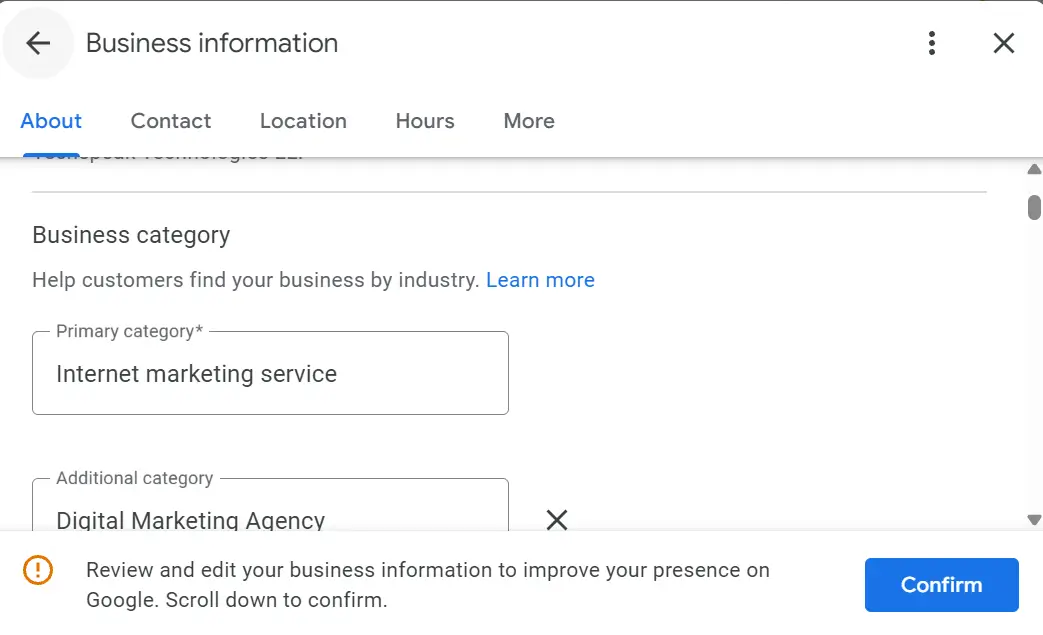
Your primary category is the single most important field in your Google Business Profile. It tells Google what type of business you are and determines which searches you’re eligible to appear in.
What most businesses do wrong: choose a broad category like “Service” or “Store” because it sounds safe.
What works: choose the most specific category that accurately describes your core service. If you’re a family dentist, use “Family Practice Dentist” not “Dentist.” Then add 2–3 relevant secondary categories to broaden your reach without confusing Google about your primary offering.
2. Business Name and NAP Consistency
NAP stands for Name, Address, Phone. Google cross-references your GBP details against your website, local directories, and other data sources. Inconsistencies — even small ones like “St.” vs “Street” — create confusion and reduce your trustworthiness score.
Audit every directory listing you have and make sure the name, address, and phone number match your GBP exactly. This is one of the fastest wins available and most businesses skip it entirely.
3. Review Count and Star Rating
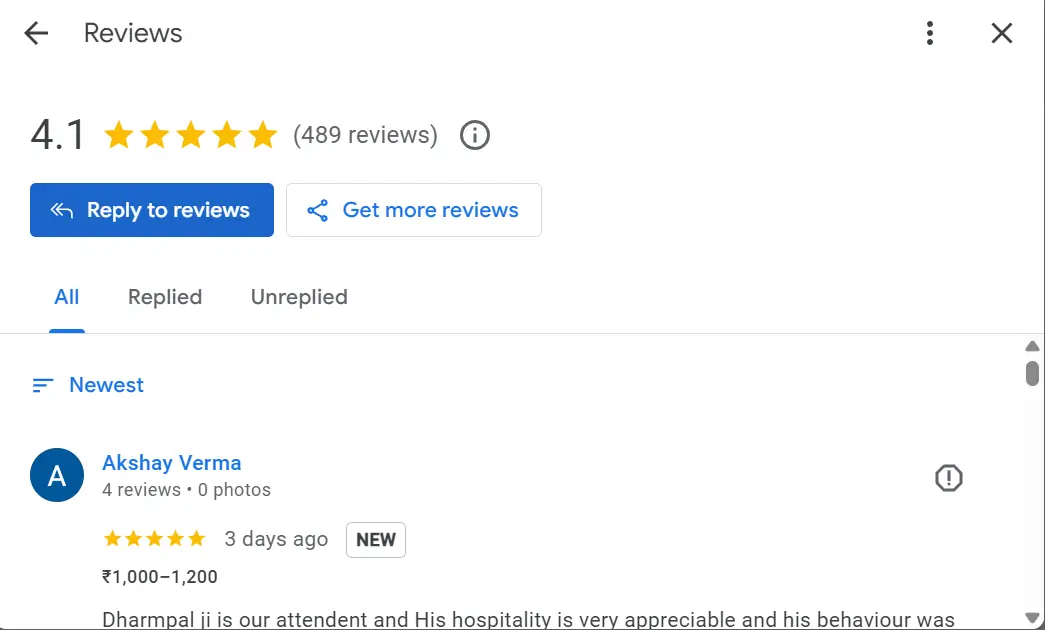
Reviews are one of the strongest prominence signals Google uses. Two things matter equally — the number of reviews and the rating. A business with 200 reviews at 4.3 stars will often outrank a business with 20 reviews at 5.0 stars.
More importantly, velocity matters. A consistent stream of new reviews signals an active, legitimate business. Ten reviews in a month is worth more than fifty reviews three years ago with nothing since.
If you’re struggling to get reviews or have had reviews removed, read our guide on why Google reviews get removed and what to do about it.
4. Photo Count and Freshness
Google’s own data shows profiles with photos receive 42% more direction requests and 35% more website clicks than profiles without. The number of photos matters — aim for a minimum of 20. But freshness matters just as much. A profile that had 50 photos uploaded two years ago and nothing since looks abandoned to Google.
Add 2–3 new photos every few weeks. Exterior shots, interior, team, products, work in progress — anything that shows an active, real business. Not sure where your photo count stands? Our free GBP audit checks it instantly.
5. Keywords in Your Business Description
Your business description doesn’t directly influence rankings the way categories do, but it helps with relevance signals. Write a natural 250-word description that mentions your primary service, your location, and what makes you different. Don’t keyword-stuff—Google’s algorithms are sophisticated enough to penalize obvious manipulation.
Think of it as writing for a new customer who knows nothing about you, not for a search engine.
6. Google Business Profile Posts
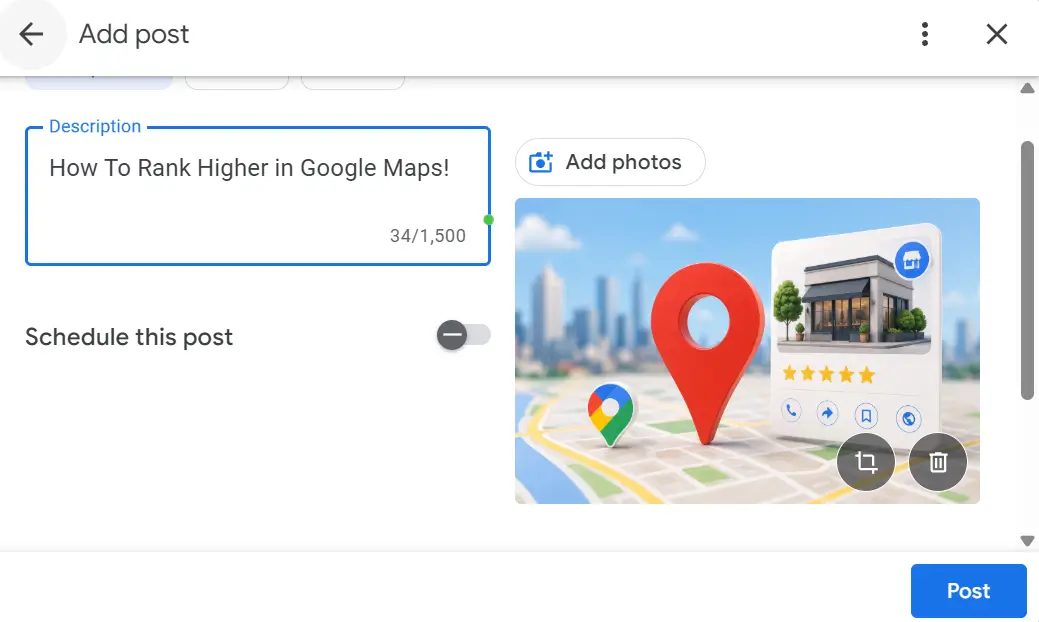
Google Business Profile allows you to post updates, offers, events and product listings directly on your profile. Most businesses never use this feature. The ones that post weekly signal to Google that their profile is actively managed — and active profiles rank higher than dormant ones.
Posts don’t need to be long. A photo, two sentences, and a call to action is enough. Consistency matters more than production value.
7. Responding to Reviews
Responding to reviews — both positive and negative — is a ranking signal. It tells Google you’re engaged with your customers. It also tells prospective customers a lot about how you operate.
Respond to every review within 48 hours. For positive reviews, keep it brief and genuine. For negative reviews, stay professional, acknowledge the concern, and take the conversation offline. A well-handled negative review can actually increase trust more than a row of five-star ratings with no responses.
8. Website Local SEO Signals
Your GBP doesn’t exist in isolation. Google cross-references it with your website. Make sure your website has your business name, address, and phone number in the footer. Make sure your homepage title tag includes your primary service and location. Make sure your site loads fast on mobile — the majority of local searches happen on phones.
These signals reinforce your GBP authority and help Google confirm your business is legitimate.
What Most Businesses Get Wrong
The most common mistake isn’t a technical error — it’s treating Google Business Profile as a one-time setup task rather than an ongoing asset.
Businesses set up their profile, add basic information, and never return. No new photos. No posts. No review responses. Over time, competitors who actively manage their profiles compound their advantage while the neglected profile slowly loses ground.
The second most common mistake is category selection — choosing something too broad because it feels safer. Broad categories mean you’re competing in a larger pool for less relevant searches.
Third is inconsistent NAP — a business name slightly different on Yelp, an old address on a directory, a different phone number on Facebook. These inconsistencies erode Google’s confidence in your business.
And finally — profile neglect can lead to bigger problems. Google’s automated systems flag inactive or inconsistent profiles for review, which can result in suspension. If your profile has been suspended, read our complete guide on how to fix a suspended Google Business Profile.
How Long Does It Take to Rank Higher on Google Maps?
Honest answer: it depends on your starting point and your market.
A brand new profile in a competitive market will take 3–6 months of consistent effort to rank in the top three. An existing profile with a solid foundation that just needs optimisation can see meaningful movement in 4–8 weeks. A neglected profile in a less competitive niche can move significantly in a matter of weeks with the right fixes.
The businesses that rank at the top of Google Maps in your area didn’t get there overnight — but they also didn’t do anything extraordinary. They consistently did the basics better than their competitors.
See real results from businesses we’ve helped rank on Google Maps.
Free Audit — See Where You Stand Right Now
Before optimising, you need to know your starting point. Our free GBP audit analyses your profile across 8 key ranking signals and gives you an instant score with specific fixes — takes about 5 seconds.
Quick Win Checklist
If you do nothing else, do these ten things today:
- Set a specific primary category — not a generic one
- Add at least 2 relevant secondary categories
- Complete every field in your GBP profile — description, hours, website, phone
- Check your NAP matches your website and key directories exactly
- Add 10 new photos if you have fewer than 20
- Ask your last 5 customers for a Google review
- Respond to every unanswered review on your profile
- Write a keyword-rich business description (250 words, no stuffing)
- Create your first GBP post this week
- Run a free GBP audit to see your current score
Frequently Asked Questions
Does having more reviews help you rank higher on Google Maps? Yes — review count is one of Google’s strongest prominence signals. Volume, recency, and rating all matter. A consistent flow of new reviews outperforms a large number of old reviews.
How do I rank on Google Maps without a physical address? Service area businesses (SABs) can rank on Google Maps by hiding their address and setting a service area instead. You’ll rank in searches within your defined service area. The same ranking factors apply — categories, reviews, photos, and profile completeness still determine where you appear.
Can I rank in a city I’m not located in? You can appear in searches from nearby cities, especially if you set a service area that includes them. However, distance is a ranking factor — a business physically located in the city will generally rank above one that isn’t for searches within that city. The best approach is building strong prominence signals (reviews, photos, posts) to overcome the distance disadvantage.
Does responding to reviews help my Google Maps ranking? Yes — review engagement is a positive signal. More importantly, response rate affects customer perception and conversion. A profile with no review responses looks unmanaged even if the ratings are good.
How do I get into the Google Maps 3-Pack? The Local Pack (3-Pack) is the top three results shown in Google Maps searches. There’s no shortcut — consistent optimisation across all the signals in this guide is what earns a 3-Pack position. Start with category selection, build review volume, keep photos fresh, and manage your profile actively. Our GBP management service handles all of this for you if you’d rather not do it yourself.
Want to Rank Higher Without Doing It Yourself?
Consistent GBP management is what separates businesses that rank from businesses that don’t. SparkLocal HQ manages Google Business Profiles for local businesses across the US and UK — handling everything from optimisation and photos to review strategy and monthly reporting.
See our GBP management service or book a free 30-minute call to talk through your specific situation.
Already know what’s wrong with your profile? Start with a free GBP audit — instant results, no credit card.
Also read: Google Business Profile Suspended? Here’s How to Fix It Fast

About the Author
SparkLocal HQ Team
The SparkLocal HQ team helps local businesses across the US, UK and beyond get found on Google. We specialise in Google Business Profile management, reinstatement, and local SEO that drives real calls and customers.
Was this article helpful?
Keep Reading
Related Articles
Need help with your Google Business Profile?
Free audit — we'll find exactly what's holding your profile back.