


Google Business Profile Suspended? Here’s How to Fix It Fast
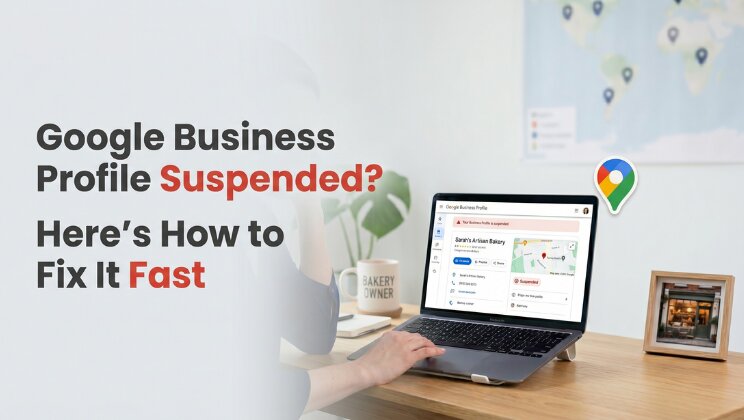
Is your Google Business Profile suspended? You’re not alone, and more importantly, it’s fixable. Every day your profile stays suspended, you’re invisible on Google Maps, losing calls, and handing customers to competitors. This guide tells you exactly what to do.
How a Suspended Profile Affects Your Business
This isn’t just an inconvenience. A suspended Google Business Profile means:
- You disappear from Google Maps and the Local Pack: The three businesses that show up when someone searches near them. Gone.
- Calls drop immediately: For most local businesses, 60–80% of inbound calls come from GBP. Suspension kills that overnight.
- Your reviews become invisible: Years of reputation-building vanish from search results.
- Competitors move up: When you disappear, the businesses below you fill the gap.
- Customers assume you’ve closed: No listing often reads as “out of business.”
A Mumbai restaurant we worked with lost ₹40,000 per day while suspended for 3 weeks before contacting us. We had them back live in 6 days.
Types of Google Business Profile Suspension
Not all suspensions are equal. Knowing which type you have determines your fix path.
Soft Suspension
Your profile still exists and is visible, but you’ve lost management access or it shows as unverified. Usually caused by a failed verification or account issue. Easier to resolve – often fixed by re-verifying ownership.
Hard Suspension
Your profile is completely removed from Google Maps and Search. Users searching your business name find nothing. This is the most serious type and requires a formal reinstatement appeal. It’s what most people mean when they say “my GBP is suspended.”
Suspended Pending Review
Common with new profiles or recently edited ones. Google’s automated systems flagged something for manual review. Often resolves within 7–14 days without any action – but you can appeal to speed it up.
Why Did Google Suspend Your Profile?
Google rarely explains exactly why. These are the most common triggers:
- Keyword stuffing in your business name – adding “best”, “cheap”, or your city to your actual business name
- Address issues – using a virtual office, PO box, or home address for a business that serves customers at their location
- Sudden category changes – switching to a completely different primary category triggers automated flags
- Suspicious edits – multiple rapid changes to name, address, or phone number
- Duplicate listings – two profiles for the same business at the same address
- Policy violations – fake reviews, incentivised reviews, or spam detected on your profile
- New profile in a competitive niche – Google auto-flags new listings in industries prone to spam (locksmiths, lawyers, movers)
- SAB showing physical address – service area businesses must hide their address per Google policy
Read through Google’s Business Profile policies to identify which rule was likely triggered.
How to Fix a Suspended Google Business Profile
Step 1 – Do Not Make Any Changes
The most common mistake. Editing your profile during or immediately after suspension can trigger a second review and make reinstatement harder. Stop. Assess first.
Step 2 – Identify Your Suspension Type
Search your business name on Google Maps. If your profile appears but shows issues – soft suspension. If it’s completely gone – hard suspension. Check your GBP dashboard at business.google.com for any suspension notices or warnings.
Step 3 – Fix the Underlying Issue
Appealing before fixing the root cause almost always results in rejection. Common fixes:
- Remove keyword stuffing from your business name – revert to your legal trading name
- Update your address to a real, verifiable physical location
- Remove or report fake reviews before appealing
- Merge duplicate listings
- Ensure your GBP information matches your website exactly – name, address, phone (NAP consistency)
Step 4 – Gather Your Evidence
Google needs proof your business is legitimate. Collect:
- Business registration certificate – Companies House (UK), MCA (India), LLC docs (US)
- Utility bill or lease agreement showing your business address
- Photos of your physical premises – shopfront, interior, signage
- Website URL – must match GBP exactly
- Professional email on your business domain
The stronger your evidence bundle, the faster your appeal resolves.
Step 5 – Submit Your Reinstatement Request
Go to the Google Business Profile Reinstatement Request form. Be honest, concise, and professional. State:
- Your business name and address
- That you believe the suspension was made in error (if applicable)
- What changes you made to come into compliance
- List your supporting documents
What not to write: Do not argue, threaten, or use aggressive language. Do not submit multiple appeals simultaneously – it resets the queue.
Step 6 – Wait and Follow Up
Google typically responds within 3 to 14 business days. If you hear nothing after 14 days:
- Use the Google Business Profile support chat to follow up
- Reference your original appeal case number
- Post on the Google Business Profile Community forum – Google Product Experts often escalate cases there
If you’re thinking “my Google Business Profile is suspended and I can’t get in contact with their support” – you’re not alone. Google support can be frustratingly slow. The community forum escalation route genuinely works.
What Happens If Your Appeal Is Rejected?
A rejection is not final. You can appeal again – but don’t just resubmit the same request. Review what might have been missed, gather stronger evidence, and address any new information Google’s response provided. A second well-prepared appeal succeeds in the majority of cases.
If two appeals fail, consider professional help. Our GBP reinstatement service has a 98% success rate with a 6-day average turnaround – including cases where owners had already attempted appeals themselves.
How to Prevent Future Suspensions
Once you’re back live, keep it that way:
- Never edit your business name to include keywords or location
- Monitor your profile weekly for unauthorised edits – Google allows anyone to suggest changes
- Keep NAP consistent across your website, GBP, and all directories
- Respond to reviews regularly – active profiles are less likely to be flagged
- Don’t incentivise reviews – offering discounts for reviews violates Google policy
- Use a business domain email to manage your GBP – not a personal Gmail
Frequently Asked Questions
Can a suspended GBP be permanently deleted? Yes – if multiple appeals fail and Google determines the listing violates policy, it can be permanently removed. This is rare but possible, which is why acting correctly on the first appeal matters.
Can I create a new listing while suspended? No. Creating a duplicate listing while your original is under review will result in both being suspended and makes reinstatement significantly harder.
Does a GBP suspension affect my Google reviews? During a hard suspension your reviews are hidden from public view. They are not deleted – they return when your profile is reinstated.
How many times can I appeal? There’s no official limit, but each failed appeal makes the next harder. Get it right the first or second time with proper evidence.
Should I hire someone to handle my reinstatement? If your first appeal was rejected, or if your business depends heavily on GBP visibility (restaurants, clinics, service businesses), professional help is worth it. Our reinstatement service includes full appeal preparation, evidence gathering, and Google follow-up.
Need Your Profile Back Live Fast?
A suspended Google Business Profile costs you money every single day it stays down. SparkLocal HQ specialises in GBP reinstatement – with a 98% success rate and 6-day average turnaround.
We handle everything: identifying the suspension reason, fixing the underlying issue, building your evidence file, submitting the appeal, and following up with Google until you’re back live.
Get Help With Your Suspension →
Or if you’re not sure what’s wrong with your profile, start with a free GBP audit – we’ll find the issue and tell you exactly what to do.
Related reading: Google Review Removed? Why It Happens & What To Do

About the Author
SparkLocal HQ Team
The SparkLocal HQ team helps local businesses across the US, UK and beyond get found on Google. We specialise in Google Business Profile management, reinstatement, and local SEO that drives real calls and customers.
Was this article helpful?
Keep Reading
Related Articles
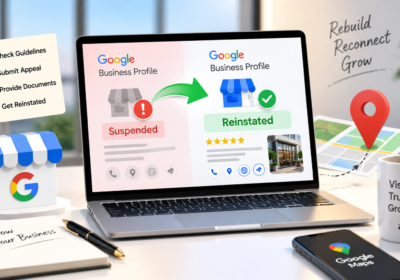
Need help with your Google Business Profile?
Free audit — we'll find exactly what's holding your profile back.