


GBP Photos: What to Upload and How Often to Keep Ranking
Two hair salons sit three doors apart on the same street. Both have a 4.7-star rating. Both have around 90 reviews. But one salon gets nearly three times as many direction requests from Google Maps every month. The difference isn’t the service, the price, or the reviews – it’s the photos.
One profile has 12 photos, most uploaded when the business first opened. The other has over 100, refreshed every few weeks – new haircuts, the team at work, the space during a slow Tuesday afternoon versus a busy Saturday. Customers can see, before they ever call, exactly what they’re walking into. Google notices the difference too.
This guide covers exactly what photos to upload to your Google Business Profile, how often to add new ones, the technical specs Google expects, and the mistakes that quietly hold profiles back.
Do Photos Actually Affect Google Maps Ranking?
Google has never confirmed photos as a direct ranking factor in the same way categories, reviews, or proximity are. But photos influence the things Google does measure – and that’s what makes them matter.
Google’s local ranking is built primarily on three pillars: relevance, distance, and prominence. Photos don’t change your distance to the searcher, but they directly affect prominence signals: how often people click through to your profile, how long they engage with it, whether they request directions, and whether they choose you over the next result. A complete, actively updated profile also signals to Google that a business is real, active, and well-maintained – the opposite of the thin, abandoned listings Google’s spam systems are trained to deprioritise.
In short: photos are an indirect but meaningful ranking lever. They influence the engagement metrics that do affect ranking, and a stale photo section is one of the quiet reasons a profile plateaus even after every other optimisation box has been ticked.
The Photo Categories Google Actually Wants
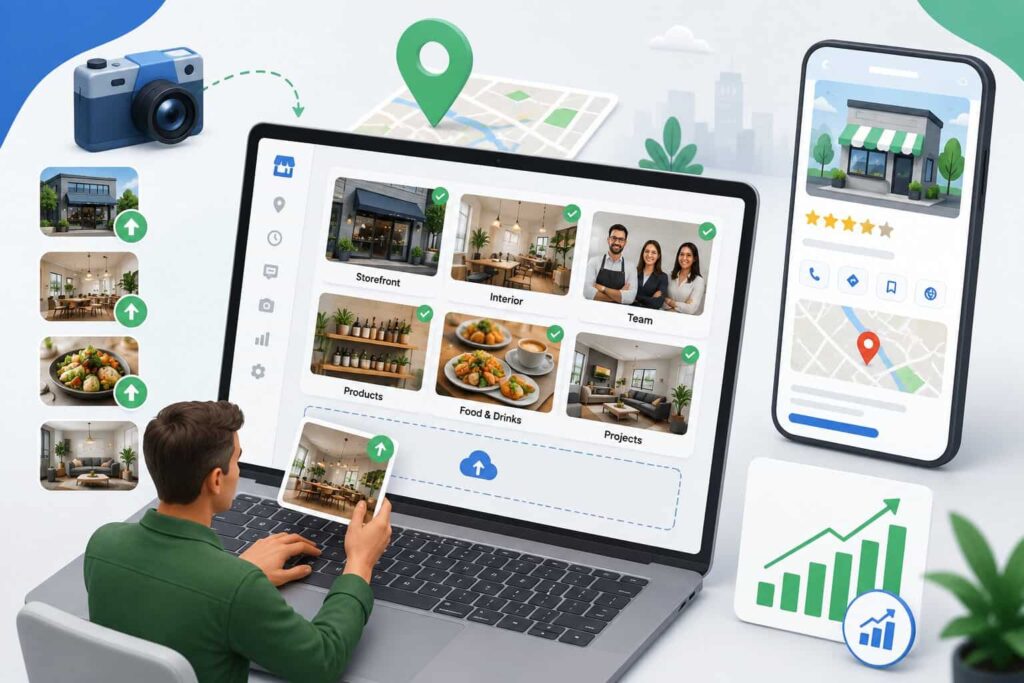
Not all photos carry equal weight. Google groups photos into categories, and customers scan certain categories before others depending on the type of business. Here’s what to prioritise.
Logo and Cover Photo
Your logo appears next to your business name across Search and Maps, so it should be clean, square, and instantly recognisable at a small size. The cover photo is the first image customers see when they open your profile – pick your strongest, most representative shot and keep it current.
Exterior Photos
Why they matter: customers use exterior photos to recognise your storefront when they arrive, especially in strip malls, shared buildings, or unmarked entrances. Include daytime shots showing signage clearly, and if relevant, a shot showing nearby parking or the entrance from the street.
Interior Photos
Why they matter: interior photos build trust before a customer ever walks in. This category matters most for restaurants, salons, clinics, gyms, and any business where atmosphere influences the decision. Show the space clean, well-lit, and populated with real customers or staff – not staged and empty.
Team and Staff Photos
Why they matter: profiles with visible staff photos read as more trustworthy, particularly for service businesses like clinics, salons, and law firms where the customer is choosing a person as much as a business. A few genuine team photos outperform a single generic group shot.
Product, Menu, and Service Photos
Why they matter: this is consistently the highest-engagement category for retail, food, and service businesses. Customers deciding between two restaurants or two boutiques will look at the food or the products before anything else. Update this category most frequently – new arrivals, seasonal menu items, and current stock.
At-Work / In-Action Photos
Why they matter: for contractors, mechanics, healthcare providers, and trades, photos of the actual service being delivered – a job mid-repair, a treatment room in use, equipment in action – do more to build confidence than any written description.
Customer-Generated Photos
Photos uploaded by customers through reviews carry a different kind of weight: they read as unfiltered and authentic, and Google displays them prominently in a separate tab. You can’t control what customers upload, but you can encourage it – a simple prompt at checkout or in a follow-up message (“tag us in your photos”) goes a long way. Unlike owner uploads, these can’t be scheduled, but they compound the same effect: a profile that visibly looks active and well-loved.
Photo Specs and Quality Checklist
Technical quality affects whether Google displays a photo prominently or buries it. Before uploading, run every image through this checklist:
- Minimum resolution: 720 x 720px (higher is better – aim for 1080 x 1080px where possible)
- File size: between 10KB and 5MB, in JPG or PNG format
- Lighting: natural light where possible; avoid harsh flash or dim indoor shots
- Composition: the subject should be clear and central – avoid cluttered backgrounds
- No stock photography – Google and customers can both tell, and it undermines trust
- No heavy text, price overlays, or promotional banners layered on top of the image
| Do | Don’t |
| Shoot in natural or well-lit conditions | Upload dark, blurry, or low-resolution images |
| Use images at least 720 x 720px | Stretch small images to meet size requirements |
| Show the real interior, exterior, and team | Use stock photos or generic placeholder images |
| Keep branding subtle (small logo watermark, if any) | Overlay heavy text, price tags, or promotional banners |
| Upload photos that reflect the business today | Reuse photos from years ago that no longer match reality |
How Often Should You Upload New Photos?
Consistency beats volume. A profile that adds two or three photos every couple of weeks outperforms one that uploads twenty photos once and never returns.
High-frequency businesses (restaurants, cafes, salons, retail): aim for weekly or at least bi-weekly uploads. These categories change constantly – new dishes, seasonal displays, fresh cuts – and customers expect to see that reflected.
Standard local businesses (clinics, trades, professional services): a monthly upload cadence is a reasonable minimum. Tie it to something concrete each month – a completed job, a new team member, a seasonal update – so it never feels forced.
Trigger-based updates: beyond the regular cadence, add photos whenever something changes – a renovation, a new menu, new equipment, a seasonal display, or a promotion. These updates matter more for accuracy than for ranking, but they do both.
A simple way to stay consistent without thinking about it: batch a month’s worth of photos in one shoot, then schedule them to upload gradually rather than all at once. Steady activity reads as an actively managed business; a single bulk upload followed by silence does not.
What Happens If You Never Update Photos
A profile with no new photos in a year doesn’t get penalised overnight – but it quietly loses ground. Engagement metrics (clicks, direction requests, save rates) drift downward as the listing starts to look outdated next to competitors who are posting regularly. Over months, that engagement gap compounds: Google leans on real user behaviour to decide who to show first, and a profile customers scroll past without clicking sends exactly the wrong signal.
This is one of the less visible reasons behind two of the most common complaints local business owners have: their profile isn’t showing on Maps the way it used to, or a competitor with a newer, smaller business consistently ranks above them. Photos alone rarely explain the whole gap – but they’re very often part of it, and they’re one of the easiest parts to fix.
Common Photo Mistakes That Hurt Your Profile
- Uploading irrelevant or personal photos that have nothing to do with the business
- Watermarked, heavily filtered, or obviously edited images that look inauthentic
- Ignoring inaccurate or misleading photos uploaded by customers – these can be flagged and reported to Google if they misrepresent the business
- Bulk-uploading a large batch once and never returning to the profile
- Reusing outdated photos after a renovation, rebrand, or menu change
- Skipping the cover photo update – leaving a low-quality or irrelevant image as the first thing customers see
Quick Action Checklist
- Audit your current photos – remove anything outdated, irrelevant, or low quality
- Add at least one photo from each core category: exterior, interior, team, product/service
- Set your cover photo to your strongest, most current image
- Build a simple upload calendar – weekly for high-frequency businesses, monthly at minimum for others
- Encourage customers to upload their own photos after a visit or purchase
- Check photo specs before uploading: resolution, lighting, no overlays
- Report any misleading or inaccurate customer-uploaded photos to Google
FAQ
How many photos should a Google Business Profile have?
There’s no fixed number, but profiles with 100+ photos consistently outperform those with under 20. What matters more than the total count is a steady stream of recent uploads across multiple categories – exterior, interior, team, and product or service shots.
Do customer photos count toward ranking?
Customer-uploaded photos aren’t a confirmed direct ranking factor, but they add to a profile’s overall engagement and credibility, which does influence how Google and customers perceive it. They also can’t be controlled or scheduled the way owner uploads can, so they work best as a supplement, not a substitute.
Can too many photos hurt my profile?
No – there’s no penalty for volume. The risk is quality, not quantity. Low-resolution, irrelevant, or misleading photos can hurt trust and engagement, but simply having a large, well-curated photo library does not.
What photo size does Google recommend?
Google’s minimum is 720 x 720px, with a maximum file size of 5MB per photo. For best display quality across devices, aim for 1080 x 1080px or higher.
Should I remove old photos?
Yes, if they no longer reflect the business accurately – after a renovation, rebrand, menu change, or when they’re simply low quality by today’s standards. Removing outdated photos keeps the profile trustworthy and prevents customers from arriving with the wrong expectations.
Keep Your Photos Working for You, Not Against You
Uploading a handful of photos once is easy. Maintaining a consistent, category-balanced photo library every month – while also managing posts, reviews, and Q&A – is where most business owners run out of time.
This is exactly what our GBP Management service handles: a steady stream of relevant, correctly formatted photos uploaded on a schedule, alongside the rest of your profile activity, so your listing never looks abandoned next to competitors who are posting weekly.
Not sure where your photo library currently stands? Get a free GBP audit and we’ll show you exactly what’s missing – no credit card, no sales call.

About the Author
SparkLocal HQ Team
The SparkLocal HQ team helps local businesses across the US, UK and beyond get found on Google. We specialise in Google Business Profile management, reinstatement, and local SEO that drives real calls and customers.
Was this article helpful?
Keep Reading
Related Articles

Need help with your Google Business Profile?
Free audit — we'll find exactly what's holding your profile back.