

Best Practices to Maintain Google Listings for Hotels and Restaurants
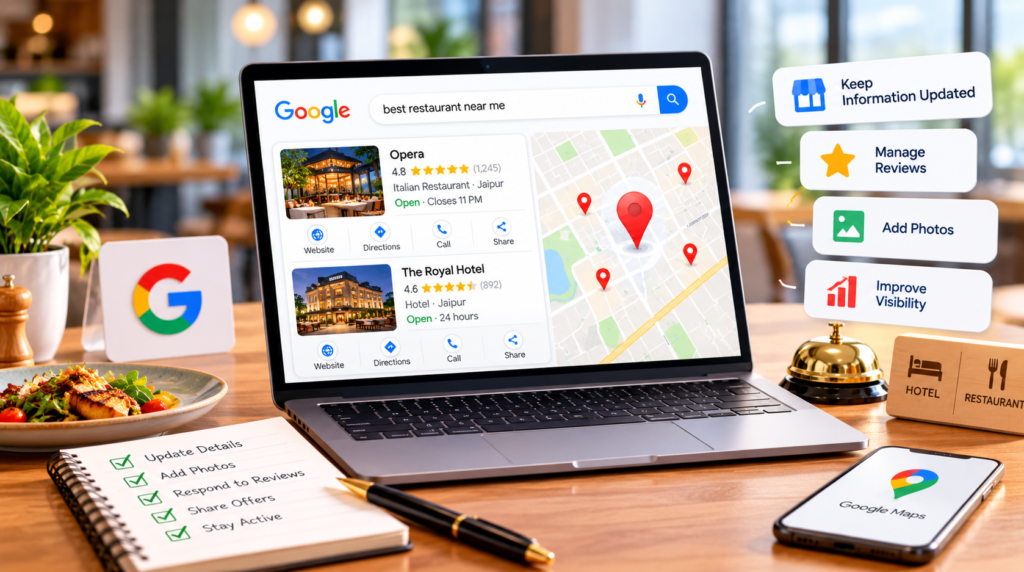
When a traveler searches “hotels near me” or a hungry couple types “dinner nearby,” Google usually answers with a map and a handful of listings before any website appears. For hospitality businesses, that listing often decides whether someone books a room, reserves a table, or taps on the competitor next door.
Setting up a Google Business Profile for hotels and restaurants takes an afternoon. Keeping it accurate, fresh, and trustworthy is the ongoing work, and that is where many properties fall behind. This guide covers the habits that keep your listing earning clicks, calls, and bookings, with separate tips for hotels and restaurants and a simple checklist you can follow every month.
What Is the Best Way to Maintain a Google Business Profile for Hotels and Restaurants?
The best way to maintain a Google Business Profile for hotels and restaurants is to treat it like a live storefront. Keep core details accurate, update hours and menus or amenities whenever they change, add fresh photos every month, respond to every review, and check your profile weekly for edits made by Google or the public.
- Verify your listing and keep the name, address, and phone number consistent everywhere.
- Update regular and special hours before holidays, events, and seasonal changes.
- Complete hotel attributes or restaurant menus, plus booking and ordering links.
- Reply to reviews and keep a steady flow of new ones coming in.
- Review performance data monthly and run a full audit every quarter.
Why Google Listings for Hotels and Restaurants Need Regular Attention
Google listings for hotels and restaurants change more often than most business profiles. Menus shift with the season, pools close for maintenance, check-in times move, and holiday hours come and go. On top of that, customers can suggest edits, and Google can update details using information it finds elsewhere on the web. If nobody is watching, your listing can quietly show the wrong hours or an amenity you no longer offer.
The cost of an outdated listing is real. A guest who drives to a closed kitchen or arrives expecting free parking that no longer exists will often leave a frustrated review. That is why ongoing Google Business Profile optimization matters more than a perfect one-time setup. Small, regular updates keep your profile matched to what people are searching for today.
Start With a Verified and Eligible Listing
Before you can maintain anything, you need control of the listing. Search for your business on Google Maps. If a listing already exists, claim it through the “Own this business?” or “Claim this business” option and complete verification. If no listing exists, follow our step-by-step guide on How to Create a GBP and come back here once you are verified.
Eligibility rules differ slightly between the two industries. Hotels and similar properties generally qualify when they offer overnight stays and have a front desk or on-site management. Google usually handles vacation rentals through its vacation rental partners rather than a standard profile. Restaurants need one profile per physical location, so a brand with five outlets should have five separate, verified listings. If your hotel runs a restaurant, bar, or spa that serves the public, it may qualify for its own profile. Check Google’s guidelines for representing your business before creating one.
Keep Your Core Business Information Accurate
Use Your Real-World Business Name
Your listing name should match your signage, website, and receipts. Adding keywords like “Best Rooftop Restaurant Jaipur” to the name violates Google’s guidelines and is a common reason listings get suspended.
Choose Specific Categories
Your primary category has a big influence on which searches you appear in. A restaurant should pick the most specific cuisine category available rather than a generic “Restaurant.” A hotel should choose the lodging category that truly describes the property. Add secondary categories only for services you genuinely offer.
Keep NAP Details Consistent
Your name, address, and phone number should match across your website, booking platforms, delivery apps, and local directories. Inconsistent details confuse both guests and search engines.
Plan Special Hours in Advance
Set special hours ahead of public holidays, festivals, private events, and seasonal closures. Updating them a week early prevents the classic “Google said you were open” complaint.
Write a Description With Local Detail
Skip generic lines like “comfort and luxury await you.” Mention your neighborhood, nearby landmarks, signature dishes or room types, and what makes you different. Specific details help guests decide and help Google understand what you offer.
Hotel-Specific Best Practices for Google Business Profile
Complete Every Hotel Attribute
Google gives hotels a dedicated set of attributes covering areas such as internet, food and drink, policies and payments, pools, parking and transport, children, wellness, accessibility, pets, and business and events. Fill in every one that applies. Travelers often filter for things like “pet friendly” or “free parking,” and a missing attribute can hide your property from those results.
Keep Policies and Check-In Times Current
Check-in and check-out times, pet fees, and payment options are some of the most common guest questions. Review them whenever your policies change, and confirm they match your website and booking channels.
Make Direct Booking Easy
Your profile can show booking options next to your listing. Where your booking engine supports it, connecting your official website lets guests book directly instead of only through online travel agencies. Direct bookings typically mean lower commission costs and a better relationship with the guest.
Use the Right Post Types
Google’s 2026 hotel playbook notes that hotels can’t create “offer” posts. Use update and event posts instead to share news like a new restaurant menu, a wedding package launch, or local festival dates.
How to Maintain Your Google Maps Listing for Restaurants
Keep Your Menu Up to Date
A Google Maps listing for restaurants is often the first place diners check the menu. Add a menu link and, where available, individual menu items with photos and prices. Update them whenever dishes or prices change, because outdated prices are a fast route to unhappy reviews.
Add Reservation and Ordering Links
Link your reservation system and online ordering page so diners can act without leaving Google. If you run your own ordering system, prioritize it over third-party apps to protect your margins.
Fill In Restaurant Attributes
Mark options such as dine-in, takeaway, delivery, outdoor seating, vegetarian dishes, and wheelchair access. These details help your restaurant appear for filtered and “near me” searches.
Post Specials and Events
Share weekend specials, live music nights, festive menus, and new launches through posts. Regular activity gives returning diners a reason to visit and keeps your listing looking alive.
Photos That Turn Searchers Into Guests
Photos are often the deciding factor when someone compares three listings side by side. Aim to add new, well-lit photos at least once a month.
- Exterior shots taken in daylight so guests can recognize your entrance.
- Interiors, rooms, the lobby, dining areas, and signature dishes.
- Your team at work, which adds warmth and builds trust.
- Seasonal updates such as festive décor, a new terrace, or a renovated pool.
Also review photos uploaded by customers. If an image is misleading or inappropriate, you can report it for removal.
Manage Reviews Like Your Front Desk Depends on It
Reviews shape both rankings and decisions. The key is a steady flow of recent, genuine feedback. Hotels can ask at checkout or in a post-stay email, while restaurants can use a QR code on the bill or table card. For more practical ideas, read our guide on How To Get More Google Reviews.
Reply to every review, positive or negative, ideally within a day or two. Thank happy guests by name and mention something specific. For complaints, apologize, stay calm, and invite the guest to continue the conversation offline. Never offer discounts in exchange for reviews or ask only happy guests to post, since both practices go against Google’s policies.
Watch for Suggested Edits and Listing Changes
Log in at least once a week to check for updates from Google or the public. Accept accurate changes and correct anything wrong straight away. If your listing still shows a questions and answers section, answer common questions about parking, Wi-Fi, reservations, and pets yourself, so guests get accurate information from you rather than from strangers.
Track What Your Listing Delivers
Your profile’s performance data shows how people find and interact with you, including calls, direction requests, website clicks, bookings, and the search terms that triggered your listing. Compare these numbers month over month. A drop in calls after a menu change, or a spike in direction requests during a festival, tells you what to adjust next.
How Your Listing Affects Local Rankings and AI Answers
Google ranks local results using three main factors: relevance, distance, and prominence. You cannot change your distance from a searcher, but a complete, accurate, and active profile strengthens both relevance and prominence. Our breakdown of Google Maps Ranking Factors explains each one in more detail.
AI features in search, including AI Overviews, also draw on business listings, reviews, and websites when answering questions like “best family hotel near the airport.” Consistent details, clear descriptions, and reviews that mention specific experiences all make it easier for these systems to understand and recommend your business.
Monthly Maintenance Checklist for Hotel and Restaurant Listings
Use this schedule to keep your listing in shape without it taking over your week.
| Frequency | Hotel | Restaurant |
| Daily | Reply to new reviews | Reply to new reviews and confirm today’s hours |
| Weekly | Check suggested edits and publish an update or event post | Post specials and update menu changes |
| Monthly | Add new photos, review attributes and booking links, check performance | Add dish and interior photos, check prices, review performance |
| Quarterly | Full audit and NAP check across booking platforms | Full audit and NAP check across delivery apps |
| Seasonal | Set special hours and update seasonal amenities | Set holiday hours and add seasonal menus |
For the quarterly review, our Local SEO Audit Guide walks you through checking your listing, citations, reviews, and website together.
Common Mistakes That Can Get a Listing Suspended
- Adding keywords or locations to your business name.
- Creating duplicate listings for the same location.
- Using an address where guests cannot actually visit you.
- Offering incentives for reviews or filtering who gets asked.
- Making many major edits at once without a clear reason.
If your profile has already been suspended, don’t panic or create a new listing. Follow the steps in our guide to Google Business Profile Reinstatement to fix the issue and request a review.
Final Thoughts
A well-maintained Google Business Profile for hotels and restaurants works like a salesperson who never takes a day off. Keep your details accurate, use the features built for your industry, stay on top of reviews, and follow a simple maintenance routine. The result is more visibility, more trust, and more bookings and table reservations.
Want an expert to check your listing? Get in touch with our team for a free Google Business Profile review and a clear action plan for your property.
Frequently Asked Questions
1. Can a hotel and its restaurant have separate Google Business Profiles?
Often, yes. If the restaurant, bar, or spa inside your hotel serves the public and operates as a distinct business, it may qualify for its own profile. Check Google’s guidelines for representing your business first, and keep the details of each profile clearly separate.
2. How often should I update my restaurant’s Google Maps listing?
Check it weekly and update it whenever something changes, such as hours, menu items, or prices. Adding photos monthly and posting specials regularly keeps the listing fresh and useful for diners.
3. Can hotels post offers on Google Business Profile?
According to Google’s 2026 hotel playbook, hotels can’t create offer posts. Hotels can still use update and event posts to share news, packages, and local happenings.
4. Is Google Business Profile free for hotels and restaurants?
Yes. Creating and managing a Google Business Profile is free. Paid options such as Google Ads or Hotel Ads are separate and optional.
5. Why does Google show the wrong hours or details for my business?
Google can apply edits suggested by users or pulled from other sources. Log in regularly, review any updates, and correct inaccurate details quickly to keep your listing accurate.
#Google Business Profile for hotels and restaurants
#Google listings for hotels and restaurants
#Google Maps listing for restaurants

About the Author
SparkLocal HQ Team
The SparkLocal HQ team helps local businesses across the US, UK and beyond get found on Google. We specialise in Google Business Profile management, reinstatement, and local SEO that drives real calls and customers.
Was this article helpful?
Keep Reading
Related Articles
Need help with your Google Business Profile?
Free audit — we'll find exactly what's holding your profile back.